AIEnhancer Watermark Remover: A Practical End-to-End Way to Clean Images Without Breaking Your Flow

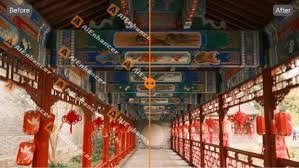
Images usually enter a workflow in decent shape. Resolution is acceptable, colors are fine, and composition works. Still, something small keeps the image from being usable. A logo overlay, a repeated mark, a visual trace that no longer belongs. It’s not dramatic, but it’s enough to block progress. AIEnhancer is built around this exact stage, helping images move from “almost ready” to actually usable.
Where Images Commonly Get Stuck
Draft assets that never quite ship
In day-to-day work, images are reused constantly. A screenshot saved during research, a banner from an earlier version, a product visual shared internally. These assets circulate freely at first. The issue appears later, when the image is placed into a final layout. The mark becomes obvious, and suddenly the image feels wrong. It doesn’t get rejected outright, but it stops moving.
The hidden cost of reopening editors
Fixing that small issue often means reopening a full editing tool. Even for experienced users, this breaks concentration. The task itself may take only a minute, but the mental overhead feels larger than the problem. As a result, the image gets delayed. One delay turns into many, and a backlog forms without anyone explicitly choosing it.
Treating cleanup as a defined step
AIEnhancer reframes this moment. Instead of treating cleanup as “editing,” it treats it as a short, contained step. When users turn to a watermark remover, they’re not starting a creative process. They’re removing a blocker so the image can continue through the workflow.
How the Watermark Remover Works in Real Use
Uploading without preparation
The watermark remover does not ask users to prepare the image. There are no regions to draw, no settings to tune. The image is uploaded as it is. This matters in real workflows, where speed and repeatability are more valuable than fine control.
Restoring context instead of erasing marks
Removing a mark is only half the task. What replaces it determines whether the image looks finished. AIEnhancer analyzes surrounding textures, color transitions, and structure to rebuild the area naturally. The watermark remover focuses on continuity, so the cleaned image does not draw attention to the fix.
Handling varied image types consistently
Most workflows involve mixed assets. Screenshots, photos, illustrations, and composite graphics often live side by side. The watermark remover applies the same logic across these formats, which reduces guesswork. Users learn what to expect, regardless of the source image.
Walking Through Common Workflow Scenarios
Refreshing older marketing visuals
Marketing teams frequently reuse assets. Layouts and messages remain useful long after an initial launch, but visual marks make assets feel dated. Running these images through a watermark remover removes distractions while preserving structure. The image becomes usable again without a redesign cycle.
Publishing content under time pressure
Writers and editors often rely on saved images collected early in the drafting process. These visuals may include marks that felt irrelevant at the time. When deadlines approach, replacing images costs context and time. A watermark remover allows teams to keep the original visual and stay on schedule.
Cleaning internal documentation images
Screenshots used in guides and internal resources tend to accumulate visual clutter. Over time, consistency degrades. Applying a watermark remover across documentation images helps restore clarity without recreating screenshots from scratch.
When Image Cleanup Reveals the Next Need
Seeing the image clearly after removal
Once a mark is gone, other issues sometimes become visible. The crop may feel too tight. The proportions may not fit a new platform. Cleanup doesn’t hide these details; it makes them easier to evaluate.
Extending edits with text-based control
For users who want to continue refining an image after cleanup, AIEnhancer offers the AI image editor. Instead of switching to a complex interface, users choose a model, set an output ratio, and describe what they want to change. This fits naturally after using a watermark remover, especially when adapting images rather than rebuilding them.
Knowing when the task is complete
Not every image needs further work. In many cases, the watermark remover completes the job. AIEnhancer keeps its tools modular, allowing users to stop when the image is usable instead of forcing additional steps.
Why a Watermark Remover Changes Daily Output
Fewer images left unfinished
When removing a mark feels simple and predictable, people stop postponing it. A reliable watermark remover lowers the threshold for completion. Over time, more images reach production instead of staying in draft folders.
Reduced mental interruption
Complex tools introduce decision fatigue. AIEnhancer minimizes choices during cleanup. The watermark remover focuses on outcome rather than process, helping users stay in their primary workflow.
Gradual improvement in visual consistency
As more images pass through the same cleanup step, overall visual quality becomes more consistent. This effect builds quietly. Teams may not notice it immediately, but it shows up over weeks of output.
Scaling Cleanup Across Teams and Projects
Supporting high-volume image handling
Content teams often process large numbers of images in short cycles. Manual cleanup does not scale well. A dependable watermark remover supports volume without increasing effort per image.
Aligning results across contributors
Different contributors clean images differently. This inconsistency creates review overhead. Using the same watermark remover standardizes results and simplifies collaboration.
Maintaining long-term image libraries
Image libraries degrade over time as standards evolve. Periodic cleanup with a watermark remover extends the usefulness of existing assets without recreating them.
Why AIEnhancer Fits Practical Workflows
Focused tools for repeatable problems
AIEnhancer does not attempt to replace full creative suites. It focuses on common, repeatable friction points. The watermark remover is designed for exactly this kind of problem.
Reliability over novelty
In production environments, predictability matters. A watermark remover that delivers consistent results becomes part of routine operations instead of an occasional fix.
Easy adoption without workflow changes
Because the watermark remover operates independently, teams can adopt it without restructuring pipelines. It fits into existing processes with minimal adjustment.
Final Thoughts
Image cleanup is rarely about creativity. It’s about removing small obstacles that slow everything else down. A focused watermark remover addresses this directly, turning nearly finished images into usable assets without added complexity. AIEnhancer approaches cleanup as part of the full image lifecycle, helping work move forward instead of getting stuck at the last step.