Live3D Flawless Image Editing Effects
In today’s visual-driven digital world, high-quality photos are essential for communication, branding. For beginners, this learning curve can feel overwhelming.For beginners who want professional results without mastering complicated software, AI-powered editing platforms offer a practical solution. Tools like Live3D AI Image Editor make it possible to transform ordinary photos into polished visuals in just a few clicks. By automating many of the technical steps involved in image editing, these tools help users focus on creativity and storytelling rather than complicated editing techniques.
In this beginner’s guide, we will explore how AI-powered editing tools work, the advantages they offer for new users, practical use cases for everyday content creation, and how tools like Live3D AI Image Editor can help you create professional-looking photos with minimal effort.
Why AI Image Editors Are Perfect for Beginners
AI-powered editing tools are designed to simplify the process of creating high-quality images. For beginners, these tools remove many of the barriers traditionally associated with professional photo editing.
Automatic Image Enhancement
One of the biggest advantages of AI editing tools is automatic image enhancement. When you upload a photo, the AI analyzes elements such as lighting, color balance, contrast, and sharpness. Based on this analysis, the system applies adjustments that make the image look more polished and professional.
For beginners, this feature eliminates the need to manually adjust multiple settings. Instead of experimenting with brightness, exposure, and color curves, users can rely on the AI to produce balanced and visually appealing results.
This automation saves time and helps users quickly improve the quality of their photos.
Simplified Editing Workflows
Traditional editing software often requires users to understand complex concepts like layers, masks, and blending modes. While these tools provide powerful editing capabilities, they can be intimidating for beginners.
An AI Image Editor simplifies the editing process by guiding users through intuitive workflows. Many adjustments can be made with simple sliders or one-click options. Tasks that once required advanced knowledge—such as removing backgrounds or adjusting lighting—can now be completed automatically.
This streamlined experience allows beginners to achieve professional-looking results without a steep learning curve.
Faster Creative Experimentation
Another benefit of AI editing tools is the ability to experiment quickly with different visual styles. Beginners often want to try various color tones, filters, and design ideas but may hesitate due to the complexity of traditional editing software.
AI-powered tools make experimentation easier. Users can apply different effects, adjust styles, and preview multiple variations of an image instantly. This flexibility encourages creativity and helps beginners develop their visual style over time.
Common Use Cases for AI Image Editors
AI-powered editing tools can be used in many everyday scenarios. For beginners who want to create better visuals for personal or professional projects, these tools offer a wide range of possibilities.
Below are several common situations where tools like Live3D AI Image Editor can help users produce professional-looking photos.
Live3D Media Effects AI Image Editor
Social Media Photo Enhancement
Social media platforms such as Instagram, TikTok, and Facebook rely heavily on visually appealing images. A well-edited photo can attract more engagement and help your content stand out.
Using Live3D AI Image Editor, beginners can enhance their photos by improving lighting, sharpening details, and adjusting color tones. The AI-powered enhancement tools ensure that images look vibrant and polished before posting.
This makes it easier for creators to maintain a consistent visual style across their social media profiles.
Personal Portrait Editing
Portrait photography often requires adjustments to lighting, skin tones, and background distractions. Beginners may struggle to achieve natural-looking results using traditional editing software.
AI image editing tools simplify portrait editing by automatically refining facial lighting, smoothing minor imperfections, and adjusting colors. With Live3D AI Image Editor, users can enhance portrait photos quickly while maintaining a natural appearance.
This feature is particularly useful for profile pictures, personal branding photos, and social media portraits.
Product Photo Editing for Online Sellers
Online sellers on platforms such as Etsy, Shopify, or Amazon rely on high-quality product images to attract customers. However, preparing product photos often requires background removal and lighting adjustments.
Live3D AI Image Editor can automatically isolate products from their backgrounds and enhance lighting conditions. This allows sellers to create clean, professional product images without professional photography equipment.
For small businesses and entrepreneurs, this capability can significantly improve product presentation.
Blog and Website Image Creation
Bloggers and website owners frequently use images to enhance their content and make articles more engaging. However, stock photos or raw images may not always match a website’s visual style.
AI editing tools allow users to adjust colors, apply filters, and optimize images for web display. With Live3D AI Image Editor, bloggers can quickly transform ordinary photos into visuals that complement their website’s design.
Quick Thumbnail Creation for Videos
Video creators often need attractive thumbnails to encourage viewers to click on their content. Creating thumbnails manually can take time, especially for beginners.
AI editing tools help users enhance photos, adjust contrast, and apply stylistic effects that make thumbnails stand out. Live3D AI Image Editor allows creators to prepare thumbnails quickly and efficiently.
Simple Photo Restoration and Improvement
Sometimes users want to improve old or low-quality photos. AI editing tools can enhance image clarity, correct color imbalances, and sharpen details.
Live3D AI Image Editor uses intelligent enhancement algorithms to restore visual quality and make images appear clearer and more vibrant.
Key Features of Live3D AI Image Editor
While many AI editing tools are available today, Live3D AI Image Editor offers several powerful features that make it particularly helpful for beginners who want professional-looking results.
Live3D Image Editor Multifunctional Showcase
Intelligent Image Enhancement Tools
Live3D AI Image Editor automatically analyzes images and improves their visual quality through smart adjustments. Lighting, contrast, and color balance can be optimized instantly.
This feature ensures that even beginner users can produce polished images without learning complex editing techniques.
AI-Based Background Removal
Removing image backgrounds is often one of the most challenging tasks for beginners. Traditional editing methods require careful manual selection.
Live3D AI Image Editor simplifies this process through AI-powered background detection. The tool identifies the main subject of an image and removes the background automatically, allowing users to replace it with new environments or simple color backdrops.
Creative Style and Filter Options
To help users experiment with visual aesthetics, Live3D AI Image Editor offers a variety of creative style transformations. Users can apply artistic filters, adjust color moods, and explore different visual styles.
These tools allow beginners to personalize their images and create unique visual content.
Beginner-Friendly Editing Interface
Perhaps the most important feature of Live3D AI Image Editor is its intuitive interface. The platform is designed to make advanced editing tools accessible to everyone.
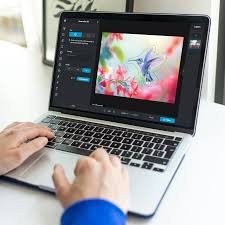
Users can upload images, apply AI-powered adjustments, preview edits, and export finished photos with minimal effort. This simplicity makes the tool ideal for beginners who want professional results without a complicated learning process.
Conclusion: AI Image Editing Makes Professional Photos Accessible
Artificial intelligence is transforming the world of digital photography and visual design. What once required advanced technical knowledge and professional software can now be accomplished quickly with the help of AI-powered tools.
An AI Image Editor removes many of the traditional barriers to photo editing by automating complex tasks and simplifying creative workflows. For beginners, this means that creating professional-looking photos is no longer limited to experienced designers or photographers.
Tools like Live3D AI Image Editor demonstrate how artificial intelligence can empower users of all skill levels. By offering intelligent enhancements, automatic background removal, creative style tools, and a user-friendly interface, the platform makes high-quality photo editing accessible to everyone.
As AI technology continues to evolve, these tools will become even more powerful and intuitive. Beginners who start exploring AI image editing today will discover new opportunities to enhance their photos, develop their creative skills, and produce visually compelling content with confidence.