
We have all faced the “Translation Gap.”
You have a brilliant idea for a scene, a product advertisement, or a game environment. In your mind, it is vivid. You can see the lighting, feel the texture, and sense the movement. But when you try to explain it to a client, a collaborator, or even your audience, the vision falls flat.
You try to bridge the gap with mood boards, static sketches, or frantic hand gestures. But a static image cannot convey the weight of an object or the rhythm of a scene.
For years, bridging this gap required a budget. You needed concept artists, animators, and weeks of rendering time just to say, “It looks like this.”
But as we settle into 2026, the toolset has shifted. The emergence of the Sora 2 model has given us a new way to communicate. It acts as a “thought translator,” converting text into kinetic reality.
I recently spent a week stress-testing Sora AI Video Maker to see if it lives up to the hype. My goal was to determine if this is just a toy for social media, or a legitimate tool for professional visualization. Here is what I found.
The Physics of Imagination: A Hands-On Test
The marketing claims for Sora 2 focus heavily on “realism,” but “realism” is a vague term. As a creator, I am interested in physics. Does the world behave the way it should?
To test this, I avoided simple prompts like “a cat sitting.” Instead, I pushed the engine with a prompt involving complex interactions:
The Stress Test Prompt:
“A heavy ceramic vase falling off a table in slow motion. It shatters on a hardwood floor. Water spills out, and flowers scatter. Cinematic lighting, 4k.”
My Observations:
In my testing, the results were surprisingly grounded in reality, though not without quirks.
- Gravity: The vase didn’t float; it accelerated downwards at a believable rate (9.8 m/s²).
- Collision: Upon impact, the vase didn’t just disappear or melt (a common issue in 2024 models). It fractured. The shards carried momentum.
- Fluid Dynamics: This was the most impressive part. The water didn’t look like blue slime. It splashed, created droplets, and flowed along the grooves of the floorboards.
The Caveat:
It wasn’t perfect on the first try. In my first generation, the flowers seemed to pass through the floor. It took three iterations (re-rolling the prompt) to get a clip where the collision logic felt 100% accurate. This is a crucial realization: AI Video Generator Agent is an iterative process, not a magic button.
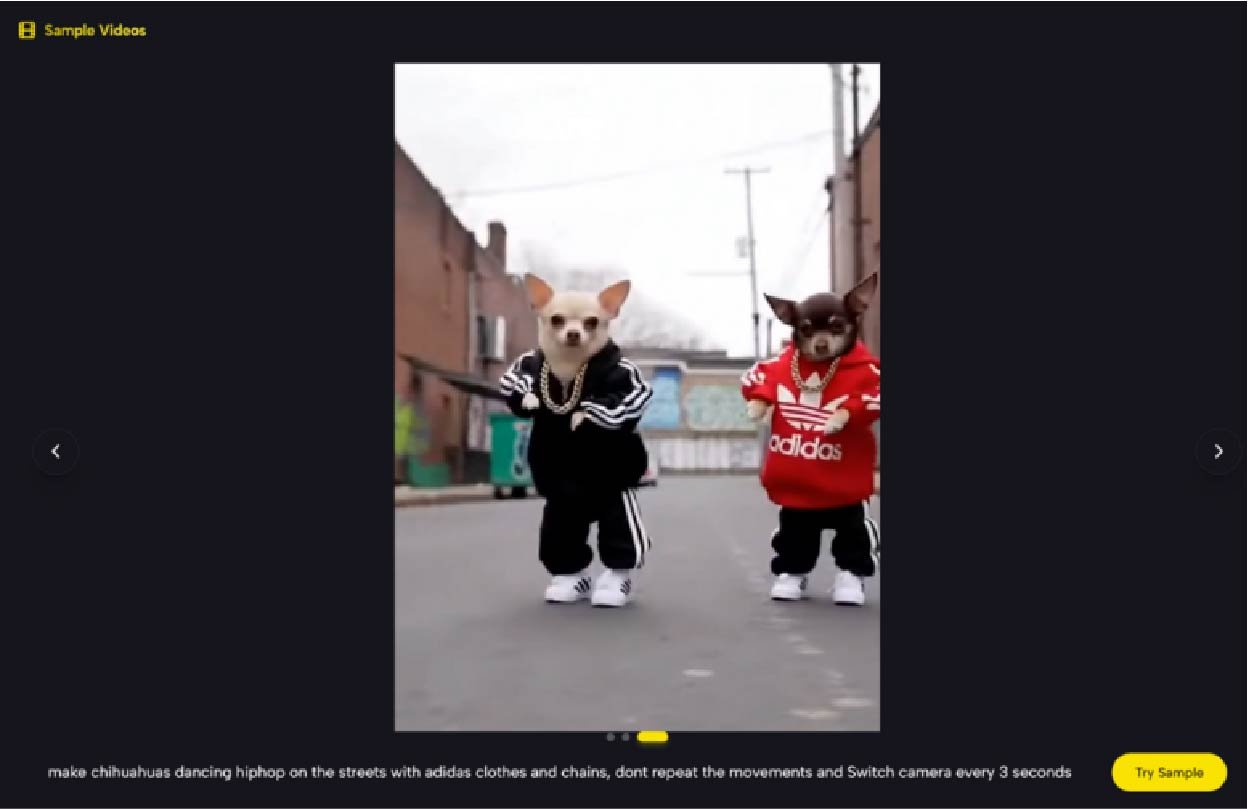
The Workflow: Moving Beyond “Text-to-Video”
The platform is structured to support a “Director’s Workflow.” It isn’t just about typing words; it’s about guiding a simulation.
1. The Prompt as a Script
The engine relies on specific “camera language.” During my time with the tool, I noticed that adding technical terms like “Depth of Field,” “Bokeh,” and “Wide Angle Lens” significantly improved the output quality. It responds to the vocabulary of photography.
2. Image-to-Video: The Concept Artist’s Best Friend
This feature is arguably more useful than text generation for professionals.
- The Test: I uploaded a rough, static 2D sketch of a futuristic vehicle.
- The Result: The AI didn’t change the design. Instead, it added context. It made the wheels spin, added exhaust fumes, and created a moving background that matched the perspective of the sketch. It turned a 5-minute drawing into a 10-second visualization.
3. The “Gacha” Mechanic of Generation
It is important to manage expectations here. When you click “Generate,” you are essentially rolling a dice.
- Success Rate: In my estimation, about 60-70% of the generated clips are usable immediately.
- Failure Rate: The other 30% contain “hallucinations”—a car might drive backwards, or a person might have an extra arm for a split second. This is the reality of current generative AI; it requires a “curatorial eye” to select the best takes.
Comparative Analysis: Static vs. Kinetic Prototyping
Why should a creative professional bother with this? The answer lies in the richness of the data. Let’s compare a traditional “Mood Board” with a “Sora 2 Video Prototype.”
| Feature | Traditional Mood Board (Static) | Sora 2 Video Prototype (Kinetic) |
| Dimensionality | 2D (Flat images) | 4D (3D Space + Time) |
| Lighting Info | Fixed (Single light source) | Dynamic (Reflections change with movement) |
| Emotional Impact | Low (Requires imagination) | High (Audio + Visual immersion) |
| Production Time | 1-2 Hours (Searching Pinterest) | 10-20 Minutes (Prompting + Generating) |
| Ambiguity | High (Client might misinterpret) | Low (What you see is what you get) |
The “Vibe Check”
The table highlights the core advantage. If you are pitching a horror movie concept, a static image of a dark hallway is scary. But a 10-second video of that hallway with flickering lights and the sound of footsteps (generated by the tool’s audio sync) is terrifying. It sells the emotion instantly.
The Reality Check: Current Limitations
To maintain credibility, we must address where the tech falls short. While industry reports and my own tests confirm that Sora 2 is a leap forward, it is not flawless.
1. The “Morphing” Issue
In longer clips (approaching the 15-second limit), the AI sometimes struggles with “Object Permanence.” A character wearing a hat at the start might not be wearing it at the end. The longer the video, the higher the risk of these continuity errors.
2. Text Rendering
If you need a sign that says “Coffee Shop,” the AI might render it as “Cofee Shoop” or alien symbols. While better than previous models, it is still not reliable for typography. You will need to add text in post-production.
Strategic Use Cases for 2026
Who actually benefits from this? It’s not just for making viral TikToks.
- Architects & Interior Designers: Instead of a static render, send your client a video of sunlight moving across the living room floor. It helps them “feel” the space.
- Event Planners: Visualize a wedding setup. Show how the confetti will fall or how the stage lighting will look during the keynote.
- Indie Game Developers: Rapidly prototype spell effects or environmental hazards. Generate a video of “magical fire” to give your VFX artist a clear reference.
Conclusion: A Tool for Exploration
The narrative around AI often swings between “It will replace us” and “It is useless.” The truth, as always, is in the middle.
The Sora AI Video Maker is not a replacement for a film crew, and it is not a replacement for human creativity. It is a flashlight. It allows us to shine a light into the dark corners of our imagination and see what is there.
It allows you to fail faster. You can test ten different lighting setups in ten minutes. You can see if your idea works before you spend a dime on real production.
In 2026, the most powerful skill isn’t just having an idea; it’s the ability to visualize it quickly. The prompt box is waiting—what will you explore today?