
If you’re building a website or web app and need a text editor, you’ve probably seen the term “HTML WYSIWYG editor”. WYSIWYG stands for “What You See Is What You Get.”
It means you can write and style text just like in Microsoft Word, without touching any code.
When choosing an editor for your project, you’ll face one big choice: should you go for an open-source editor or a commercial one?
Free sounds great, but it’s not always the best fit.
This guide will help you understand the real costs, benefits, and trade-offs of both options, so you can choose what works best for your project and budget.
Whether you’re a beginner developer, a small business owner, or part of a team making decisions, this article breaks down everything you need to know in simple terms.
Key Takeaways
- Open-source editors are free to use, but they often need more technical skills and time to set up and maintain.
- Commercial editors cost money but usually come with professional support, regular updates, and ready-to-use features.
- The total cost isn’t just the price; you should also think about the time spent on development, maintenance, security, and support.
- The right choice depends on your project’s size, budget, timeline, and your team’s technical skills.
- Some popular open-source editors are Quill and TinyMCE, while commercial editors include Froala, CKEditor Premium, and more.
Now that you know the basics, let’s look at what HTML WYSIWYG editors are and how they actually work.
Understanding HTML WYSIWYG Editors
An HTML WYSIWYG editor is a tool you can add to your website that allows users to write and style text without touching any code.
Instead of typing something like <strong>bold text</strong>, they can just click the Bold button and see the text become bold instantly, like in Google Docs or Microsoft Word.
These editors are useful for things like:
- Content management systems (CMS)
- Blogging platforms
- Email or newsletter editors
- Comment sections
- Any app where users need to write and format text
According to Froala’s guide on WYSIWYG editors, these editors turn users’ input, like button clicks or text inputs, into clean HTML code that browsers can display as formatted content.
Now that you know what WYSIWYG editors do, let’s look at the two main types available: open-source and commercial.
Open Source HTML WYSIWYG Editors
Open-source HTML WYSIWYG editors are a popular choice for developers who want flexibility without spending money.
They’re free to use and easy to customise, with support from active online communities. However, they do take time and some technical skills to set up and maintain.
What Does “Open Source” Mean?
Open source software comes with source code that anyone can view, modify, and share.
For WYSIWYG editors, this means you can download the code for free and integrate it into your project without paying licensing fees.
Popular Open Source Options
Two of the most popular free editors are Quill and the open-source version of TinyMCE. Both are great for basic editing and easy to set up.
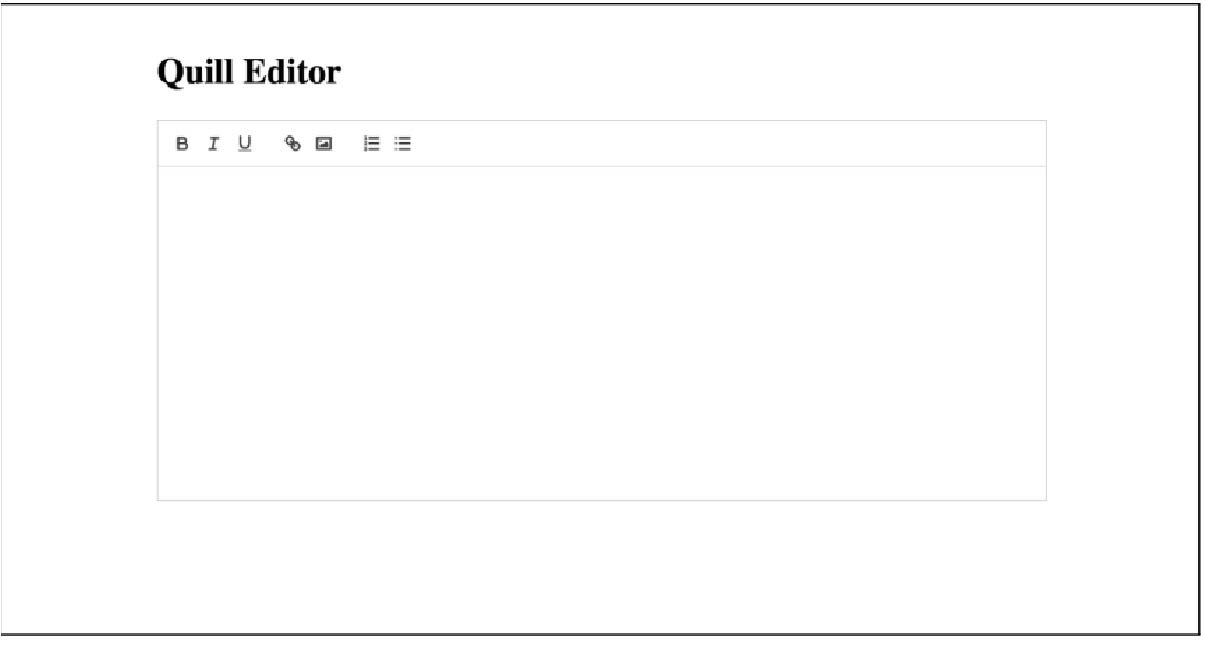
Here’s a simple example using Quill:
| <!DOCTYPE html> <html> <head> <title>Quill Editor Example</title> <!– Include Quill stylesheet –> <link href=“<https://cdn.quilljs.com/1.3.6/quill.snow.css>” rel=“stylesheet” /> </head> <body> <h1>Quill Editor</h1> <!– Create a container for the editor –> <div id=“editor”></div> <!– Include the Quill library –> <script src=“<https://cdn.quilljs.com/1.3.6/quill.js>”></script> <!– Initialise the editor –> <script> var quill = new Quill(“#editor”, { theme: “snow”, modules: { toolbar: [ [“bold”, “italic”, “underline”], [“link”, “image”], [{ list: “ordered” }, { list: “bullet” }], ], }, }); </script> </body> </html> |
In just a few lines, you get a fully working text editor; that’s the beauty of open source solutions.
Why Developers Love Open Source Editors
- Free to use: No license or subscription fees.
- Flexible: You can customise every part of the code, as you have full access to the code.
- Community support: Developers share plugins, themes, and fixes.
- No vendor lock-in: You’re not tied to one company’s product decisions.
- Transparent: You can inspect the code for security or bugs yourself.
The Hidden Costs of “Free”
While open source editors don’t cost money up front, they come with other expenses:
- Development time: Customising an open source editor to fit your exact needs can take significant development hours. That “free” tool might end up costing more in developer hours.
- Maintenance burden: You’re responsible for keeping the editor up to date, secure, and working with the latest web standards. As Webriq explains, open-source tools may be free to use, but maintaining and updating them over time can add hidden costs that many developers overlook.
- Limited support: If something breaks, you’ll likely depend on community forums or your own debugging skills; there’s no 24/7 support line.
- Security responsibilities: You’ll need to stay alert for security issues and apply updates quickly. A delayed update could expose your users to risks.
While open-source editors give you lots of freedom and control, they also take more time and effort to manage.
Now, let’s look at the other side of the picture, commercial HTML WYSIWYG editors.
Commercial HTML WYSIWYG Editors
Commercial HTML WYSIWYG editors are paid tools that make your life easier. They come ready to use, offer customer support, and include advanced features that save time and effort.
What You’re Paying For
Commercial WYSIWYG editors like Froala, CKEditor Premium, and TinyMCE Premium charge a licensing fee, but in return, you get a professional, reliable, and feature-packed editing experience.
Implementing a Commercial Editor
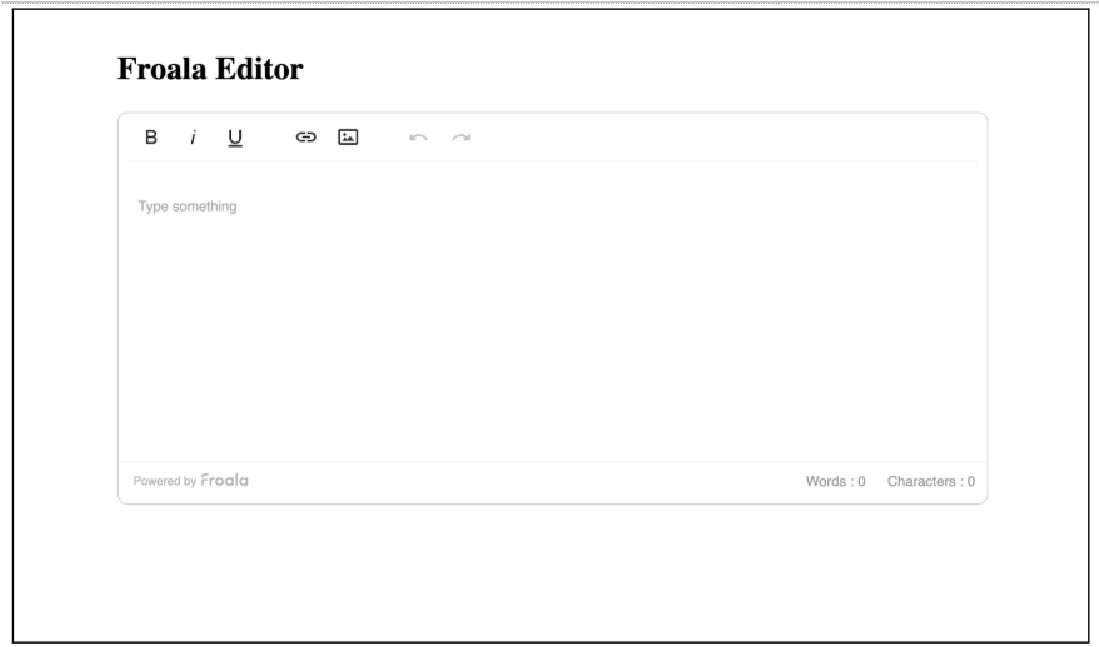
Here’s how simple it is to get started with Froala:
<link
href=”<https://cdn.quilljs.com/1.3.6/quill.snow.css>”
rel=”stylesheet”
/>
Quill Editor
With just a few lines of code, your editor is ready to use; that’s how easy and convenient commercial tools are to use.
Why Developers Love Commercial Editors
- Professional support: Direct access to the development team for troubleshooting and guidance.
- Regular updates: Security patches and new features are released frequently.
- Great documentation: Clear guides and tutorials make setup easy.
- Cross-browser reliability: Tested to work smoothly across all major browsers and devices.
- Legal clarity: Licensing terms and warranties are clearly defined.
- Time savings: You spend less time fixing bugs and more time building.
The Costs of Commercial Editors
Commercial editors offer great convenience, but they also come with some costs and limitations to consider:
- Licensing Fees: Commercial editors usually charge in one of three ways:
- A one-time license fee (pay once, use forever)
- A yearly subscription (renew every year)
- Tiered pricing based on features or team size
- Vendor dependency: You rely on the company to keep the product active and updated. If they stop supporting, you might need to switch to another editor.
- Limited customisation: You can adjust the settings in commercial editors, but making major changes to the core features may be limited or require a special license.
Quick Comparison: Open Source vs Commercial
Here’s a simple side-by-side look to help you choose easily.
| Factor | Open Source | Commercial |
| Initial Cost | Free | $59–$5,490+/year |
| Setup Time | 20–40 hours | 4–8 hours |
| Annual Maintenance | 20–40 hours ($1,500–$6,000) | Included in license |
| Support Response | 2–5 days (community) | 4–24 hours (dedicated) |
| Customization | Unlimited | Limited to configuration |
| Browser Testing | Your responsibility | Pre-tested and guaranteed |
| Security Updates | Manual monitoring needed | Automatic notifications |
| Best For | Tech-savvy teams, unique needs | Quick launches, guaranteed support |
Real-World Total Cost of Ownership (TCO)
When comparing open-source and commercial editors, it’s important to look beyond just the price tag and consider the Total Cost of Ownership (TCO).
TCO means looking at all the costs of using a product over time, not just the price you pay upfront.
It includes things like:
- Acquisition costs: Buying a license or downloading the tool.
- Implementation costs: Setting it up and integrating it into your app.
- Operational costs: Maintenance, updates, and hosting.
- Support costs: Handling bugs and training users.
- Opportunity costs: The time your team could spend building other features.
For smaller teams, commercial tools often provide better overall value since they save time and reduce maintenance.
For larger teams with strong technical skills, open source can make more sense, especially if heavy customisation is needed.
When to Choose Open Source
Open-source editors are a great fit when you want full control and have the technical skills to manage them. They give you freedom, flexibility, and zero licensing costs, but you’ll handle setup, updates, and maintenance yourself.
Choose open source if:
- Your team has strong technical skills: You can customise, debug, and maintain the editor easily.
- You need deep customisation: Your project has unique needs that pre-built tools can’t cover.
- You’re on a tight budget: You want to avoid licensing costs and can invest time instead of money.
- You have a flexible timeline: You can afford to spend extra time on setup and troubleshooting.
- You want full control: You prefer being able to modify every part of the codebase.
- You’re building an open-source project: The licensing and philosophy align perfectly.
Example use case:
A university building an internal student portal with help from its computer science department could go for an open-source editor since they have the technical resources to maintain it.
When to Choose Commercial Editors
Commercial editors are perfect when you want something that just works: fast setup, built-in features, and reliable support. You pay a fee, but you save time and get peace of mind.
Choose a commercial editor if:
- You need to launch quickly: You want a ready-to-use solution with minimal setup.
- You don’t have in-house experts: Your team isn’t focused on front-end development.
- You need guaranteed support: You can’t afford downtime or long debugging sessions.
- You need enterprise features: Collaboration, advanced security, and compliance features are must-haves
- You prefer predictable costs: You’d rather pay a set fee than spend time fixing issues.
- You want automatic updates: You’d like to stay up to date with web standards with no extra work.
Example use case:
An e-commerce company starting a new blog or content platform could benefit from a commercial editor because it’s reliable, packed with features, and comes with professional support.
Hybrid Approaches: Getting the Best of Both Worlds
Not every project fits neatly into “open source” or “commercial.” Some teams use hybrid strategies to balance flexibility and reliability.
- Start with open source, upgrade later: Begin with a free editor for early testing or an MVP, then switch to a commercial one once your project grows. This keeps initial costs low.
- Use commercial for main features, open source for extras: Use a trusted commercial editor for your main product, and add open source tools for smaller or extra features.
- Commercial with open source plugins: Some commercial editors let you use open source plugins, giving you a stable base with flexible customisation options.
Best Practices for Choosing an HTML WYSIWYG Editor
Before choosing between open-source and commercial editors, it’s important to plan wisely. These best practices will help you make a smart, long-term decision that fits your needs and budget.
- Start with Requirements, Not Price: Make a list of what you really need before comparing tools. Don’t choose an editor just because it’s free; it should meet your project’s actual requirements.
- Calculate the Real Cost (TCO): Create a simple spreadsheet to estimate total costs over the next 2–3 years. Include developer time, updates, maintenance, and any support you might need.
- Test before you decide: Most commercial editors offer free trials, and open-source ones can be tested anytime. Build a small prototype with each to see how they perform in real use.
- Think about growth: Choose an editor that can handle future needs, whether it’s more traffic, new features, or a bigger team.
- Read the license carefully: Always read the license before using an editor. Some open-source licenses (like MIT, GPL, or Apache) have specific rules you’ll need to follow.
Common Pitfalls to Avoid
Even though HTML editors seem simple, a few small mistakes can cause big problems later. Here are some common things to watch out for:
- Underestimating integration time: Don’t assume it’s “just a text editor.” Plan for the unexpected and add buffer time.
- Ignoring browser compatibility: Test your editor across all browsers you need to support. Commercial tools usually handle this well, but open-source ones might need extra adjustments.
- Forgetting about mobile: Make sure your chosen editor works well on mobile devices. As W3C accessibility guidelines highlight, mobile and touch interface support are essential for modern web applications.
- Neglecting accessibility: Your editor should be usable by everyone, including people with disabilities. Commercial editors often have accessibility features built in, while open-source ones may need some manual setup.
- Not planning for security: Editors deal with user input, which can create security risks like XSS attacks. Always sanitize and validate the content before saving or displaying it.
- Choosing based on popularity alone: Just because a tool is popular doesn’t mean it’s the best fit for your needs. Focus on what works best for your project, not what everyone else is using.
Conclusion
Choosing between open-source and commercial HTML WYSIWYG editors isn’t about finding the “best” one; it’s about finding the right one for your needs.
Go with open source if you have the technical skills, time, and need full control or deep customisation.
Go with commercial if you want to launch quickly, need reliable support, require advanced features, or don’t have a front-end expert on your team.
Keep in mind that the cheapest option upfront isn’t always the most cost-effective in the long run. Consider everything: licensing fees, development time, maintenance, support, and even the time your team could spend on other work.
Start by honestly understanding your team’s skills, project timeline, and budget. Test different options with real examples before making your choice. And don’t be afraid to start with one approach and switch later if your needs change.
In the end, both open-source and commercial editors have their strengths. The best choice depends on what fits your project, your team, and your goals. By understanding the true trade-offs and calculating the total cost of ownership, you’ll make a decision you won’t regret in future.
About the Author
Shefali Jangid is a web developer, technical writer, and content creator passionate about building intuitive developer tools and educational resources. She shares tutorials, code snippets, and practical tips on her blog, shefali.dev, helping developers create better web experiences with clean, efficient, and accessible code.