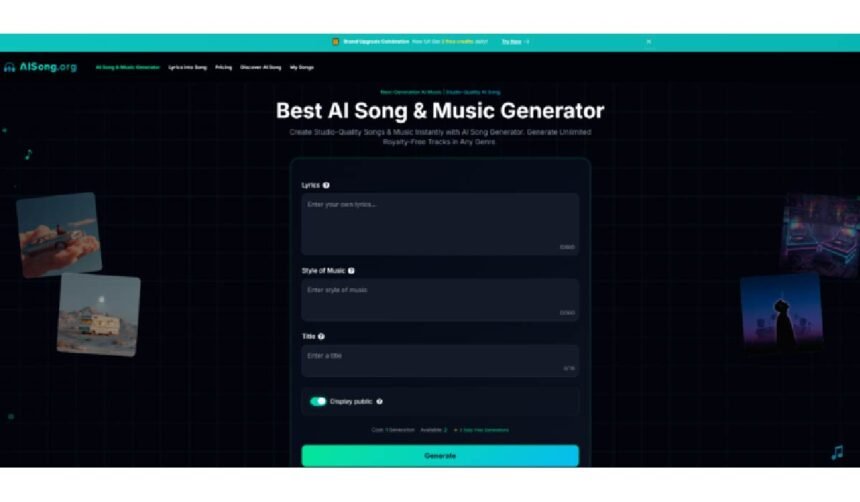
For decades, the art of songwriting was divided by a steep technical barrier. You might have a notebook full of profound, witty, or emotional lyrics, but without the ability to play an instrument or the budget to hire a vocalist, those words remained silent on the page. The melody existed only in your head—until now.
The emergence of generative audio technology has shattered this barrier. With the rise of Lyrics to Song tools, writers, creators, and hobbyists can now instantly transform written text into fully produced musical tracks complete with vocals. Platforms like ToMusic.ai are leading this revolution, offering a bridge between the written word and studio-quality audio.
Whether you are a poet looking to hear your verses sung, a content creator needing a custom jingle, or a songwriter demoing a new idea, understanding how to leverage Lyrics to Song AI is the key to unlocking a new dimension of creativity.
What is Lyric to Song Technology?
Lyrics to Song technology is a specialized branch of generative AI that focuses on the complex interplay between language and melody. Unlike standard “text-to-music” (which often generates instrumental background tracks based on a mood description), Lyrics to Song functionality takes specific lines of text you provide and actually “sings” them.
It utilizes advanced acoustic models and Natural Language Processing (NLP) to understand the rhythm, rhyme scheme, and emotional weight of your lyrics. When you input your text into a Lyrics to Music AI, the system:
- Analyzes the Structure: It determines where the verses, choruses, and bridges likely fall based on line breaks and structure.
- Composes the Melody: It generates a unique melody that fits the syllabic flow of your words.
- Synthesizes Vocals: It applies a synthetic voice (which can sound shockingly human) to perform those lyrics in the style you requested.
The result is a cohesive musical piece where the vocals and the backing track are generated simultaneously to fit your specific words.
Why Choose Lyrics to Song AI?
Why are musicians and non-musicians alike flocking to tools like ToMusic? The benefits go beyond simple convenience; they fundamentally change the creative workflow.
- Bridging the “Lyrist vs. Composer” Gap
Many creative individuals identify strictly as lyricists. They can write beautiful poetry but struggle to find the right chord progression. Lyrics to Music tools act as your virtual co-composer. You provide the heart (the words), and the AI provides the body (the music). This allows writers to produce complete songs without needing to learn music theory or production software.
- Rapid Prototyping for Songwriters
Even for professional musicians, “Demoitis”—getting stuck on a demo recording—is real. With Lyrics to Song AI, you can test how a set of lyrics sounds in five different genres in a matter of minutes. Does your ballad sound better as an upbeat pop song? Or maybe a gritty country track? You can iterate instantly, saving hours of studio time.
- Cost-Effective Custom Audio
Commissioning a vocalist and a producer to create a custom song for a video or project can cost hundreds or even thousands of dollars. Using a platform like ToMusic allows you to generate multiple variations of a song for a fraction of the cost. For indie game developers or YouTubers, this is a game-changer for budget management.
- Copyright and Royalty Freedom
One of the most significant advantages of using a reputable AI generator is licensing. When you generate a track using your own unique lyrics on ToMusic, you generally navigate around the complex web of copyright strikes that plague content creators who use commercial music. You are creating something new, not just reusing existing assets.
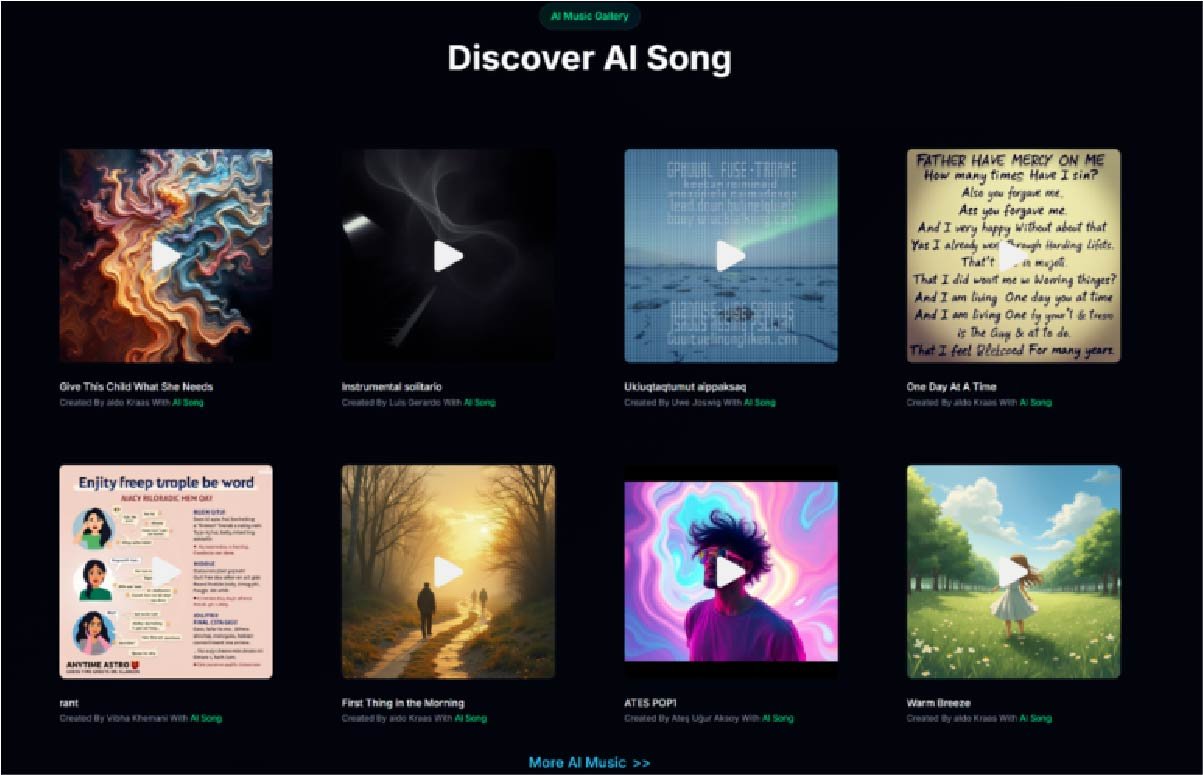
How to Use Lyrics to Song in 3 Simple Steps
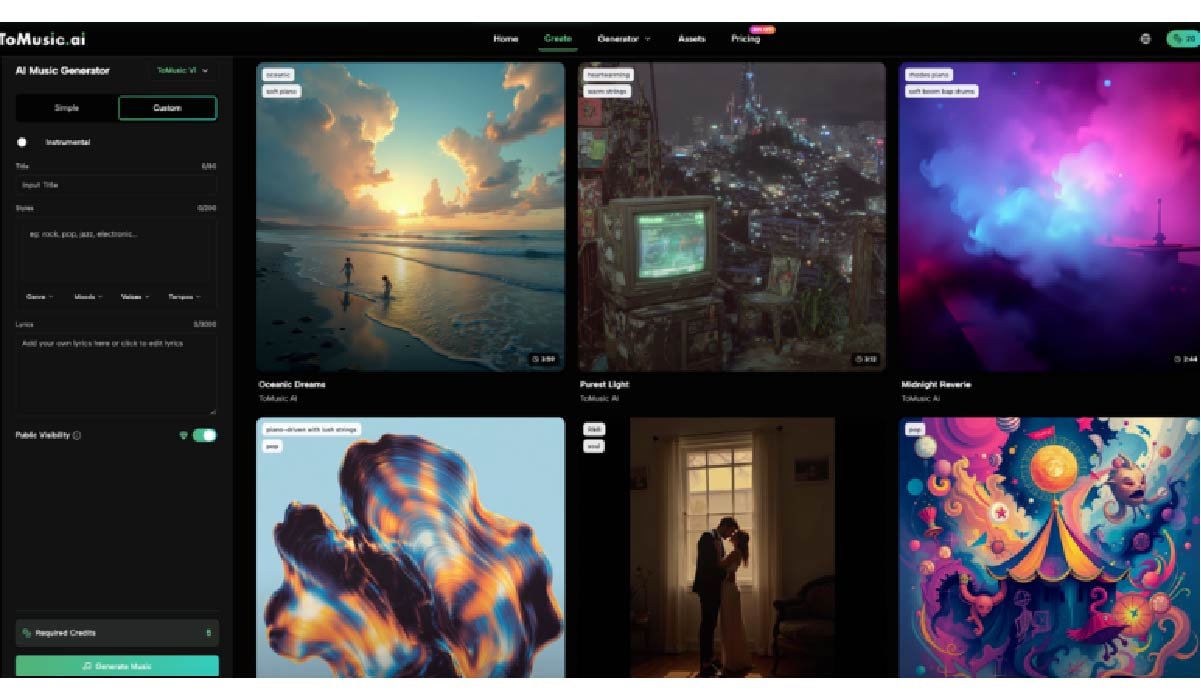
Using ToMusic.ai to turn your lyrics into music is straightforward, but to get the best results, you need to use the right mode. Based on the platform’s interface, here is the optimized workflow.
Step 1: Select “Custom Mode”
When you enter the generator, you will see options for “Simple” and “Custom.”
- Crucial Step: You must select Custom Mode.
- Why? The Simple mode is designed for general descriptions (e.g., “a happy song”). The Custom Mode unlocks the specific Lyrics input box, which is essential for Lyrics to Song generation.
Step 2: Input Lyrics and Define Style
This is where you shape the song.
- The Lyrics: Paste your text into the lyrics box (ToMusic supports up to 3000 characters).
- Pro Tip: Use structural tags if the AI supports them, such as [Verse], [Chorus], or [Bridge] to help the AI understand how to pace the song.
- Style of Music: Be descriptive. Instead of just typing “Pop,” try “80s synth-pop, upbeat, female vocals, energetic.”
- Title: Give your track a name.
Step 3: Generate and Refine
Check your settings (such as the “Display public” toggle) and hit Generate.
- The AI will process your request, typically consuming credits (e.g., 5 credits).
- Listen Critically: Once the song is generated, listen to how the AI phrased your lyrics. If the rhythm feels off, try adjusting your lyrics by removing or adding syllables to make the meter more consistent, then generate again.
Recommended Use Cases and Workflow Suggestions
To get the most out of Lyrics to Music technology, it helps to identify exactly how it fits into your specific project. Here are tailored scenarios for different users.
For Content Creators (YouTubers & Streamers)
- Use Case: Custom Intros and Outros.
- The Workflow: Write a short, 4-line poem about your channel’s theme. Use lyrics to song to generate a catchy 15-second jingle. Because the lyrics are specific to your brand (“Welcome back to Tech Reviews…”), it creates a much stronger brand identity than generic stock music.
For Gift Givers and Personal Projects
- Use Case: Anniversaries, Birthdays, or Weddings.
- The Workflow: Write a heartfelt message or a funny poem about the recipient. Input it into ToMusic and select a genre they love (e.g., “Acoustic Ballad” or “Smooth Jazz”). The result is a deeply personal, one-of-a-kind song that makes for an unforgettable gift.
For Educators
- Use Case: Educational Mnemonics.
- The Workflow: If students are struggling to memorize a concept (like the Periodic Table or historical dates), write the facts as lyrics. Generate a catchy “Hip Hop” or “Pop” track. The “earworm” effect of music makes memorization significantly easier for children and students.
For Aspiring Music Producers
- Use Case: Sampling and Remixing.
- The Workflow: Use the Lyrics to Song AI to generate just a vocal hook (chorus). Download the track, and then import it into a DAW (Digital Audio Workstation) like Ableton or Logic Pro. You can chop up the AI-generated vocals and build your own custom production around them, using the AI effectively as a “session singer.”
Conclusion
The evolution of AI in the creative arts is not about replacing human creativity; it is about amplifying it. Lyrics to Song technology democratizes the feeling of hearing your words come to life through melody. It removes the technical friction of music production, allowing anyone with a story or a message to become a songwriter instantly.
Your words deserve a melody. Don’t let another great idea fade away in a forgotten note app. Visit ToMusic.ai today, paste in your lyrics, and press generate. The world is ready to hear your song—now go make it.