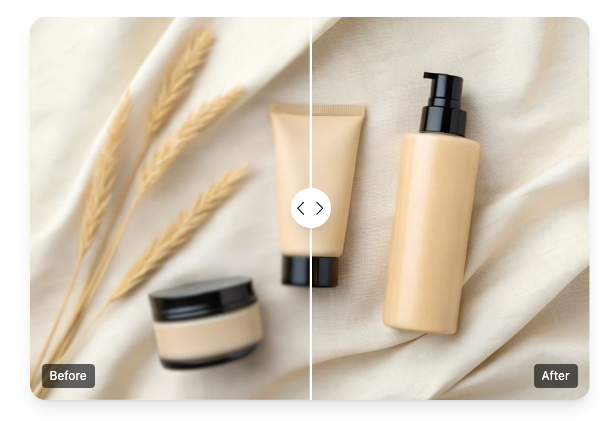
Two AI categories saw explosive growth in 2025:
- AI Image Unblur, used for restoring clarity and enhancing details.
- AI Talking Photo, used to animate static portraits with voice and lip-sync.
In this guide, we compare each tool with its closest competitors so you can choose the best option for your workflow.
🔧 Section 1 — Image Unblur Technology: Bringing Photos Back to Life
Tool: Unblur Image
The Unblur Image tool restores clarity to blurry portraits, screenshots, products, old photos, and motion-blurred images using advanced AI sharpening.
⭐ Key Highlights
- One-click automatic enhancement
- Restores text, faces, and fine details
- Great for screenshots, portraits, product photos, old images
- Free, browser-based, and watermark-free
- Preserves natural texture without over-sharpening
🥇 Unblur / AI Enhancement Competitor Comparison (Same Track Tools)
| Feature | BeArt Unblur Image | Remini | Adobe Enhance (Online) | Fotor Sharpener |
| Price | Free | Paid | Free tier | Paid |
| Watermark | No watermark | Watermark (free) | No watermark | Watermark |
| Best For | Portraits, screenshots, products | Selfies | Voice-to-image text sharpening | General sharpening |
| Output Style | Natural & balanced | Sometimes over-smoothed | Strong but inconsistent | Medium |
| AI Capability | Detail restoration + noise reduction | Skin smoothing | Text-focused clarity | Simple sharpening |
| Ease of Use | Very easy | Easy | Medium | Easy |
✔ Why This Tool Wins
- Completely free and watermark-free, unlike most competitors
- Balances clarity without artificial “filter-like” effects
- Handles diverse image types — portraits, documents, products, old photos
Best for users who need a fast, natural-looking restoration tool.
🗣️ Section 2 — Talking Photo Animation: Turning Still Images Into Lifelike Speech
Tool: AI Talking Photo
AI Talking Photo transforms a static face portrait into a speaking video with realistic lip-sync and expressive animation. It works with uploaded text, audio, or recorded speech.
⭐ Key Highlights
- Natural lip-sync and facial movement
- Multiple languages and voice options
- Accepts text, uploaded audio, or voice recording
- Perfect for marketing, education, greetings, and character videos
- Beginner-friendly, no editing experience needed
🥇 Talking Photo Competitor Comparison (Same Track Tools)
| Feature | AI Talking Photo (Remaker) | D-ID | HeyGen Talking Face | Synthesia |
| Price | Free tier | Paid | Paid | Paid |
| Input Types | Image + text / audio | Image + text | Image + text | Script-based |
| Lip Sync Quality | Highly realistic | High | High | Medium-high |
| Editing Difficulty | Very easy | Easy | Medium | Medium |
| Voice Options | Many + upload audio | Many | Many | Limited free options |
| Watermark | No watermark (free) | Watermark | Watermark | Watermark |
| Best Use Cases | Social content, education, personal videos | Explainers | Avatars | Corporate training |
✔ Why This Tool Stands Out
- The only major tool offering free, watermark-free talking photo videos
- Audio upload allows emotional, personalized storytelling
- More expressive facial animation than most avatar-based tools
Ideal for creators, educators, influencers, and anyone wanting fast speaking-photo content.
🏆 Final Verdict — AI Tools for Clarity & Expression
Both tools excel in their categories and serve different creative workflows:
If you want to restore clarity to blurry photos
👉 Unblur Image is one of the most natural, free, and effective enhancement tools in 2025.
If you want to make portraits speak with realistic lip-sync
👉 AI Talking Photo offers unmatched value and expressiveness without requiring payment or editing expertise.
Together, these tools are perfect for social media creators, educators, businesses, and anyone enhancing visual storytelling.