Streaming videos have become part of our daily lives. We watch movies, shows, and tutorials online every day. But sometimes we want to save these videos for offline viewing. That’s when problems begin.
Many streaming platforms don’t allow downloads. Even when they do, downloads often fail. Network issues can interrupt the process. File corruption happens frequently. Some videos simply cannot be downloaded at all.
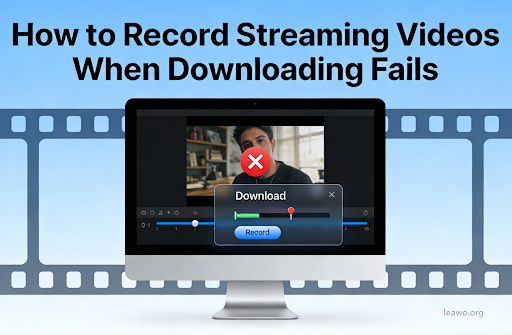
This is where a streaming video recorder becomes essential. Recording captures the video as it plays. It works even when downloading is impossible. This article will show you how to record streaming videos easily.
Here’s what we’ll cover:
- What streaming video recording is
- How recorders differ from downloaders
- Why CleverGet Recorder stands out
- Step-by-step recording instructions
1. What Is Streaming Video Recording?
Streaming video recording is a simple process. It captures video content as it plays on your screen. The recorder saves the video to your computer in real-time.
Think of it like recording a TV show with a DVR. You press record and the software does the rest. The video plays normally while being saved. You get a complete copy when playback finishes.
A stream recorder works with any video platform. Netflix, YouTube, Hulu, and others all work. The recorder doesn’t care about the source. It simply captures what you see on screen.
This method bypasses many restrictions. Platforms that block downloads can still be recorded. DRM protection doesn’t stop screen recording. Geographic restrictions don’t matter either.
2. Streaming Video Recorder vs Common Video Downloader
Video downloaders and recorders serve similar purposes. But they work in completely different ways. Understanding these differences helps you choose the right tool.
A video downloader grabs the source file directly. It finds the video URL and saves the file. This method is fast and efficient. But it only works when the platform allows it.
Most streaming platforms now block downloaders. They encrypt their video streams. They hide the actual file location. They use DRM protection systems. These measures make downloading impossible.
A streaming video recorder takes a different approach. It captures the video as pixels on screen. It records the audio simultaneously. It doesn’t need to access the source file. This makes it work everywhere.
The downside is recording takes longer. You must watch the entire video. The file size may be larger. But these are small prices for reliability.
When downloads fail, recording becomes your best option. It works with protected content. It bypasses technical restrictions. It gives you the video you want.
3. Why Free CleverGet Recorder Is a Smart Choice?
Many streaming video recorders exist today. Most require payment or subscriptions. Finding the best streaming video recorder for free can be challenging. CleverGet Recorder stands out from the competition.
CleverGet Recorder is completely free to use. No hidden fees exist. No trial period expires. You get full functionality without paying. This makes it accessible to everyone.
The software is incredibly easy to use. Even beginners can start immediately. The interface is clean and intuitive. No technical knowledge is required. You’ll be recording in minutes.
Quality is another major advantage. CleverGet captures high-definition video perfectly. It preserves original audio quality. The output files play smoothly. You won’t notice quality loss.
The recorder supports multiple formats. You can save as MP4, AVI, or other formats. This ensures compatibility with all devices. Your recordings will play anywhere.
CleverGet works with all major platforms. Netflix, Amazon Prime, Disney Plus all work. YouTube and Vimeo are supported too. Even specialized streaming sites work perfectly.
If you need to record Netflix on Mac, CleverGet handles it effortlessly. Mac users get the same great experience. The software runs smoothly on macOS. All features work exactly as expected.
4. How to Record Streaming Videos with CleverGet Recorder
Recording streaming videos with CleverGet is straightforward. Follow these simple steps. You’ll have your video saved in no time.
Step 1: Download and Install CleverGet Recorder
Visit the official CleverGet website. Download the recorder software for your system. The download is quick and safe. Run the installer when the download completes. Follow the on-screen instructions. The installation takes only a few minutes.
Step 2: Launch the Recorder
Open CleverGet Recorder from your applications. The main window appears immediately. You’ll see a simple, clean interface. All controls are clearly labeled. Everything is ready to go.
Step 3: Configure Recording Settings
Click the settings icon in the corner. Choose your preferred video quality. Select your desired output format. Pick a save location for recordings. Adjust audio settings if needed. These settings apply to all future recordings.
Step 4: Start Your Streaming Video
Open your web browser or streaming app. Navigate to the video you want. Make sure the video loads completely. Adjust playback quality to your preference. Don’t start playing yet.
Step 5: Begin Recording
Return to CleverGet Recorder. Click the red record button. The software starts capturing immediately. Now play your streaming video. The recorder captures everything on screen.
Step 6: Monitor the Recording
CleverGet shows recording progress in real-time. You can see elapsed time. File size updates continuously. Everything happens automatically. You can minimize the window if desired.
Step 7: Stop and Save
When the video finishes, click stop. CleverGet processes the recording immediately. The file saves to your chosen location. You can play it right away. The recording is complete and ready to use.
Tips for Better Recording:
- Close unnecessary programs before recording
- Ensure stable internet connection throughout
- Use wired connection instead of WiFi when possible
- Check available disk space before long recordings
- Don’t resize the video window during recording
5. Conclusion
Recording streaming videos solves many problems. Downloads fail for various reasons. Streaming platforms block downloaders constantly. Recording works when nothing else does.
A good stream recorder makes everything simple. You don’t need technical expertise. The process is straightforward and reliable. Your favorite content becomes available offline.
CleverGet Recorder delivers on all fronts. It’s free, powerful, and easy to use. The quality is excellent. Compatibility is universal. Both beginners and experts appreciate it.
Whether you need to record streaming video for personal archives or offline viewing, CleverGet has you covered. It handles Netflix, YouTube, and countless other platforms. Mac and Windows users both benefit.
The future of content consumption is flexible. You should watch videos on your terms. Recording gives you that freedom. You’re no longer dependent on internet connections. You’re not limited by platform restrictions.
Start recording your streaming videos today. Download CleverGet Recorder and try it yourself. You’ll wonder how you managed without it. Your digital content library awaits.