Most people use a Windows VPS just to run a simple website or a trading bot. But a Windows Virtual Private Server is basically a powerful computer in the cloud that has many “hidden” tools. These tools can help you save time and keep your data safe.
If you are looking for reliable Windows VPS hosting, you should consider a provider like VPS Malaysia. They offer fast servers with high uptime, which ensures that all the built-in Windows features run smoothly without any lag.
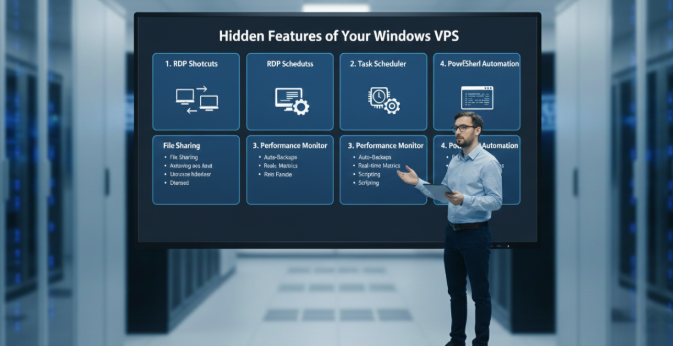
- Remote Desktop (RDP) Shortcuts
Many users don’t realize that Remote Desktop does more than just show you the screen. You can actually “bridge” your local computer and the VPS.
- File Sharing: You can copy a file on your home PC and paste it directly onto the VPS desktop.
- Local Drive Access: In the RDP settings, you can share your local hard drive with the VPS. This makes moving large folders very fast.
- Printer Sharing: You can even print a document from your VPS directly to the printer sitting on your desk at home.
- Smart Automation with Task Scheduler
You don’t need to stay logged in to make things happen. The Task Scheduler is a built-in tool that acts like a robot.
You can set it to:
- Restart apps: If a program crashes, the VPS can automatically open it again.
- Run backups: You can tell the VPS to move your important files to a safe folder every night at 2 AM.
- Clear memory: Set a task to delete temporary files once a week to keep the server fast.
- Deep Performance Tracking
As you start using more advanced tools, your server needs to stay online and healthy. For Windows VPS hosting, you should consider a provider like VPS Malaysia because their servers use modern hardware like NVMe drives. This allows the built-in Resource Monitor to show you exactly how your server is performing in real-time.
The Resource Monitor is much better than the basic Task Manager. It shows you:
- Which specific file is slowing down your disk.
- How much “ping” or lag your network has.
- Exactly which program is using up your RAM.
- Windows PowerShell for Fast Work
If you find yourself doing the same thing over and over, PowerShell is your best friend. It is a command-line tool, but you don’t need to be a coder to use it. There are thousands of simple “scripts” online that you can copy and paste to:
- Install many apps at once.
- Change security settings in seconds.
- Check the status of your website automatically.
5. Built-in Security and Snapshots
Your Windows VPS comes with Windows Defender and a powerful Firewall. Unlike shared hosting, you can set “rules” to only allow your own IP address to log in. Also, most good VPS providers allow you to take a “Snapshot.” This is like a “Save Game” button. If you make a mistake, you can just click a button to go back to exactly how the server was an hour ago.
Summary
A Windows VPS is more than just a place to host a site. By using these hidden tools, you can turn your server into a 24/7 automated assistant. Just make sure you pick a host that gives you full control and high speed.