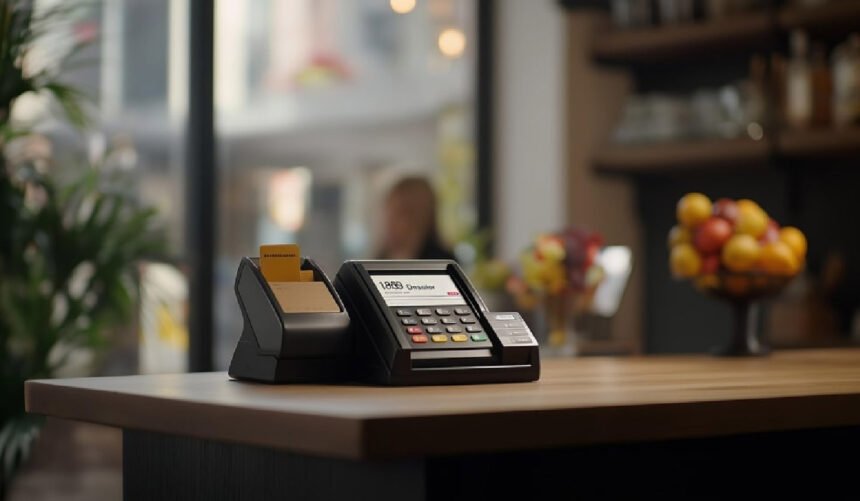
Running a café in the UK in 2026 is about far more than brewing great coffee and serving pastries. You’re managing takeaway orders, contactless payments, digital loyalty schemes, QR ordering, online pre-orders, delivery integrations, and more — often all at once.
At the centre of that complexity sits your point of sale software. It’s the system that captures every order, processes payments, tracks stock, and underpins much of your daily routine. Over just a few years, café POS has evolved from a simple till into a full business platform. Choosing one isn’t just a technical task anymore; it’s a core business decision that affects revenue, service speed, and how clearly you understand your numbers.
7 Best POS Software Options for Cafés in the UK (2026)
Here are seven café‑friendly POS platforms that regularly show up on UK shortlists, each with slightly different strengths.
1. POSApt – Best All‑Rounder for Independent Cafés
POSApt feels built for small to medium cafés that want strong features without being forced into expensive proprietary hardware. You can run it on Android or other tablets, which keeps initial spend sensible, and it brings online ordering into the same system your baristas use at the counter.
Key strengths:
- Intuitive interface that works well during busy order rushes
- Integrated online ordering, so digital and counter orders share one queue
- Works with non‑proprietary devices, helping reduce hardware costs
- Built‑in reporting, stock tracking, and offline mode on suitable plans
Best for: Independent cafés, coffee shops, and small chains that want a cost‑efficient, unified setup.
2. Square for Cafés
Square is widely recognised because it combines a clean interface with simple pricing and integrated card payments. For cafés, the main draw is how quickly you can get from “unboxed” to “taking orders” with minimal fuss.
Why it’s a good fit:
- Runs comfortably on iPads and Square terminals
- Offers a free or low‑cost software entry tier for smaller setups
- Comes with core tools for order management and straightforward reporting
- Integrated payments are easy to set up and manage
Best for: Small to medium cafés that want a straightforward, reliable system without a big learning curve.
3. Lightspeed Café POS
Lightspeed is geared more towards busier cafés and food‑led venues that care about data, structure, and growth. It brings advanced reporting and multi‑terminal capabilities that go beyond “just taking orders.”
Why it stands out:
- Strong analytics around products, times of day, and staff performance
- Supports multiple terminals and, if needed, multiple locations
- Handles both counter‑service and table‑service workflows confidently
Best for: Cafés with higher order volumes or multiple terminals that want serious reporting and room to scale.
4. SumUp POS
SumUp’s POS solution sits in the middle ground between a simple card reader and a fully loaded restaurant suite. It’s tightly tied to SumUp’s payment hardware, which keeps things neat and affordable for smaller teams.
Why it’s useful:
- Low entry cost and simple hardware packages
- Mobile and tablet friendly, ideal for smaller footprints
- Good for takeaway‑heavy or quick‑service cafés with simple menus
Best for: Very small cafés, kiosks, or counters that need essential POS features at a controlled cost.
5. Epos Now
Epos Now balances feature depth with flexible hardware options. You can run it on tablets, PCs, or dedicated terminals, and bolt on integrations as your café grows.
Why it’s worth a look:
- Works with a wide range of devices and offers bundle packages
- Integrates with common accounting tools and UK payment providers
- Provides solid reporting and stock controls for cafés wanting more structure
Best for: Cafés that want flexible hardware choices, mid‑range pricing, and the option to expand with integrations over time.
6. SumUp Restaurant POS
This version of SumUp is more tailored to hospitality workflows than the basic POS, which makes it handy for cafés that mix counter and table service.
Notable features:
- Simple hospitality‑friendly workflow for hybrid dine‑in and takeaway
- Built‑in loyalty options on certain plans
- Straightforward reporting, tied directly to SumUp payments
Best for: Counter‑service cafés with some table service already using or considering SumUp’s payment ecosystem.
7. Vend (by Lightspeed)
Vend is technically a retail POS, but it’s a smart choice for cafés with a strong retail side — think packaged beans, brewing gear, and merch.
Why it works for some cafés:
- Excellent stock and product management for retail shelves
- Clean dashboards and sales tracking across retail and café items
- Plays nicely with a range of payment processors
Best for: Hybrid coffee‑and‑retail businesses where merchandise and packaged products are a big part of revenue.
What a Best Café POS Actually Does
Old tills simply rang up sales. Today’s café POS platforms do a lot more heavy lifting behind the scenes. A good one will typically:
- Handle order entry quickly, including modifiers such as “oat milk, extra shot, no foam.”
- Track inventory for key items like milk, beans, pastries, and syrups.
- Support contactless cards, Apple Pay, Google Pay, and integrated terminals.
- Plug into online ordering and, if you use them, delivery partners.
- Sync with accounting or reporting tools to cut down manual admin.
- Enable loyalty and basic customer insights so you can reward regulars.
- Help manage staff logins, shifts, and basic performance stats.
The good news for café owners in 2026 is that you no longer need a huge budget to access these features. Many modern platforms offer this level of functionality as part of an affordable POS system in the UK, making it possible for independent cafés to run just as smoothly as larger chains without over-investing in technology.
Crucial Integrations to Look For in a Cafe POS Software
The best cafe POS software should sit comfortably in the middle of your tech stack, not on the sidelines. When you compare options, pay close attention to how they integrate with:
- Online ordering and delivery – so website orders, click‑and‑collect, app orders, and QR orders flow into a single queue.
- Payments and terminals – including contactless, mobile wallets, tipping, and split payments, all properly recorded.
- Accounting and finance tools – to avoid manually re‑keying figures at the end of the week.
- Loyalty and CRM – to track regulars, run offers, and measure whether promotions actually work.
- Inventory and stock – so you get alerts before you run out of essentials, not after.
How to Set Up Café POS Software (Step by Step)
Setting up the best café POS software doesn’t have to be complicated, but getting it right at the start saves a lot of headaches later. Here’s a practical approach many UK cafés follow.
1. Choose the right devices
Decide how many points of sale you need and where they’ll live. Many cafés use:
- One main counter terminal
- A secondary tablet for busy periods or extra seating areas
- Optional kitchen or barista display screens instead of paper tickets
Check that your POS software supports your preferred devices, whether that’s iPads, Android tablets, or dedicated terminals.
2. Build your menu inside the POS
This is where attention to detail pays off. Add:
- Every drink and food item you sell
- Modifiers such as alternative milks, extra shots, syrups, and size changes
- Correct pricing and VAT settings
A clean, well‑structured menu speeds up order entry and dramatically reduces mistakes during the morning rush.
3. Connect payments
Link your card machine or integrated payment terminals so payments run through the POS rather than separately. This cuts down on keying errors and keeps sales data accurate.
Before going live, test:
- Contactless card payments
- Chip & PIN
- Mobile wallets like Apple Pay and Google Pay
4. Set up online ordering and QR codes
If you offer takeaway, click‑and‑collect, or table ordering, configure these early. Ideally, online and QR orders should land in the same queue as walk‑up orders so your team isn’t juggling multiple devices and screens.
From a customer’s point of view, test:
- Scanning a QR code
- Browsing the menu
- Placing and paying for an order
Make sure it feels smooth and matches the in‑café experience.
5. Configure staff access
Create individual staff logins with sensible permission levels. This helps you:
- See sales by staff member
- Reduce accidental changes to settings
- Improve accountability and reduce misuse
6. Test during quiet hours
Before you rely on the system in a full‑blown rush, run it through its paces when the café is quiet. Simulate real orders, voids, refunds, and different payment methods so everyone can practise without pressure.
7. Train your team
Even the most intuitive POS benefits from a short, focused training session. Concentrate on:
- Fast, accurate order entry
- Applying modifiers correctly
- Fixing common mistakes, like correcting the wrong item or processing a refund
A couple of well‑run training sessions often reduce service issues dramatically in the first few weeks.
Final Thoughts
In 2026, a best café POS system is far more than a digital till. It’s the command centre that ties together ordering, payments, stock, online channels, and customer loyalty. The right choice can make the difference between barely coping with the morning rush and moving through it with calm, controlled service.
Whether you lean toward POSApt for its all‑round value, Square for simplicity, Lightspeed for depth of reporting, SumUp for budget‑friendly hardware, or Epos Now for flexible integrations, the most important step is the same: match the system to the way your café really works, then set it up carefully and train your team so it becomes a natural part of your daily rhythm.
For More Information Visit Dotmagazine