When you click “send” to share a PowerPoint file, have you ever held your breath? That moment of uncertainty: will your coworker’s screen display the carefully selected fonts as generic boxes? When your client opens the complicated charts you spent hours preparing, will they become a disorganized mess? There are many unseen hazards in the process of turning a completed presentation into a document that is available to everyone. Converting your PPT to PDF, which ought to be a straightforward last step, frequently causes last-minute stress and unforeseen formatting fixes.
This is the problem AiPPT was built to solve. We believe that sharing your work should inspire confidence, not concern. The act of the conversion should be the simplest part of your process—utterly predictable, completely reliable, and finished in moments. When we say “the simplest PPT to PDF tool”, we mean an experience defined by one-click actions, zero learning curve, and guaranteed results. This article will explore not just a tool, but the philosophy of simplicity that makes it the most dependable choice for professionals worldwide.
Why Is “Simplicity” So Elusive in File Conversion?
At first glance, converting a PPT to PDF seems straightforward. You’ve finished the hard work of creating the content. However, this is just packaging. However, this simplicity is an illusion. Beneath the surface, a high-fidelity conversion is a complex technical ballet.
- The Hidden Complexity: A PowerPoint file is a dynamic container of elements—custom fonts, vector graphics, embedded media, slide transitions, and hyperlinks. A robust PPT to PDF conversion must correctly embed fonts so text remains identical, rasterize or preserve vector graphics without quality loss, flatten animations into static images appropriately, and maintain clickable links. Many basic converters or built-in software features cut corners, leading to the all-too-common issues of misaligned text boxes, missing visuals, or incorrect colors.
- The Hidden Cost of Time: When a conversion fails, the real cost is time. It’s the frantic minutes spent trying different software, reformatting slides manually, or searching online for a solution. This “time tax” turns a simple task into a frustrating detour. True simplicity isn’t just about a fast process. It’s about a process that is right the first time, eliminating the need for corrective work.
- Compatibility: The Ultimate Test: The core value of a PDF is its universal compatibility—the promise of “what you see is what they get”. A poorly converted PDF breaks this promise. It might display correctly on your machine but reveal formatting errors on a different operating system, a mobile device, or when printed. For professional, academic, or client-facing documents, this inconsistency can undermine credibility. A reliable PPT to PDF conversion is therefore non-negotiable. It’s the final seal of integrity on your document before it goes out into the world.
Deconstructing “The Simplest”: The Three Pillars of the AiPPT Converter
How does AiPPT deliver on the promise of effortless, reliable conversion? The answer lies in three foundational pillars designed to remove friction at every stage.
Pillar One: A Thought-Free User Journey
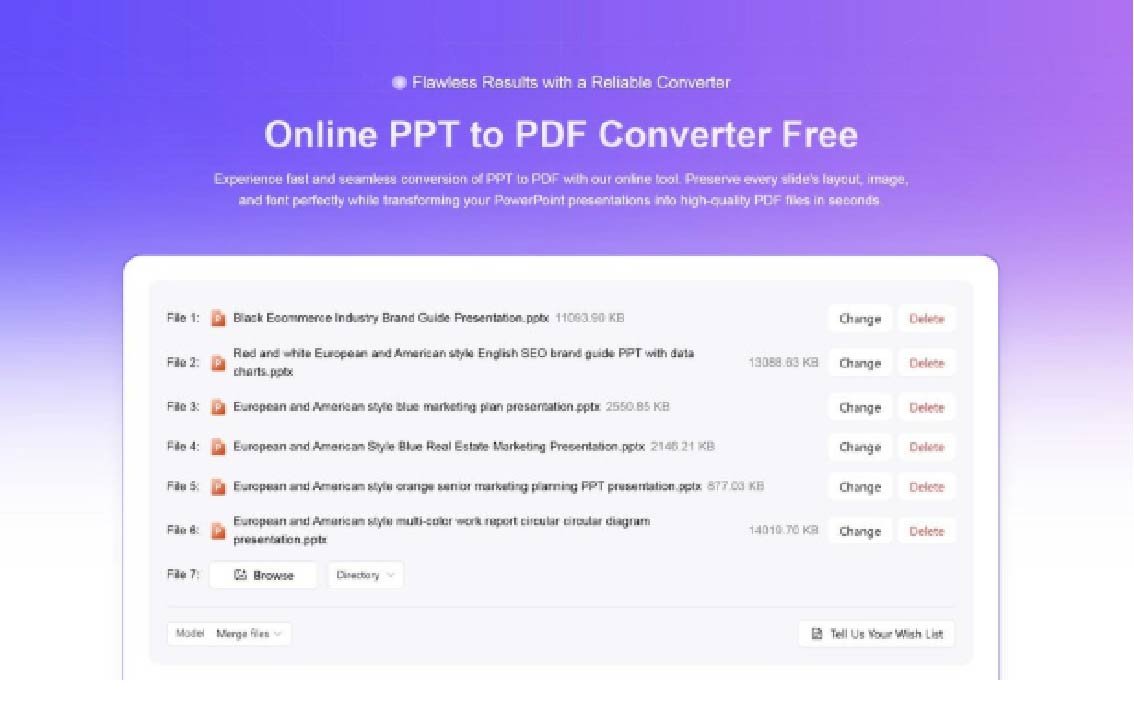
From the moment you arrive at the AiPPT converter page, the goal is clarity. The interface presents a clean, intuitive drag-and-drop zone—no clutter, no confusing menus. You are never asked to adjust complicated settings like image DPI or compression ratios before a basic conversion. The tool intelligently handles multiple file uploads, processing different versions of PowerPoint files seamlessly in the background. Clear, real-time progress indicators guide you from upload to completion, transforming a potentially anxious wait into a predictable, smooth progression.
Pillar Two: Unwavering Format Fidelity & Flexible Output
This is the heart of reliability. The AiPPT conversion engine is built to preserve your work with precision.
- Pixel-Perfect Preservation: Every element on your slide is maintained. Custom fonts are embedded, ensuring your brand’s typography travels with the file. Complex diagrams, SmartArt graphics, and precise color schemes render exactly as designed. The layout is locked down, preventing any accidental shifts in alignment.
- Intelligent Document Management: Beyond perfect single-file conversion, AiPPT understands that workflows vary. That’s why it offers two powerful output options: ➤ Consolidated Output: Need to combine several presentations into one coherent document? Choose to merge multiple PowerPoint files into a single, well-ordered PDF. This is ideal for creating comprehensive reports, portfolios, or archived project documentation. ➤ Batch Output: Need to keep files separate but process them simultaneously? Select batch conversion, and each PPT file will be transformed into its own complete, standalone PDF. For your convenience, all resulting PDFs are automatically organized into a single, downloadable zip file. This feature is a tremendous time-saver for managing multiple projects or presentations at once.
The common result of both options is a professional, portable, and tamper-proof PDF that faithfully represents your original presentation.
Pillar Three: Uncompromised Security and Scalable Efficiency
Simplicity cannot come at the cost of security or efficiency.
- A Commitment to Cloud Security: Your files are transferred over secure, encrypted connections. The core principle of AiPPT’s processing is privacy: files are automatically and permanently deleted from the servers shortly after the PPT to PDF conversion is complete and downloaded. Your data and intellectual property remain yours alone.
- Accessibility Without Barriers: As a browser-based tool, it demolishes platform constraints. Whether you use a Windows laptop, a Mac desktop, a Chromebook, or even a tablet, the experience is consistent and requires no installation.
- Efficiency That Grows With You: The tool is as effective for converting one urgent file as it is for processing dozens. The intelligent batch handling and flexible output options mean that what works seamlessly for an individual student works just as seamlessly for a project manager preparing deliverables for an entire team.
Beyond Basic Conversion: Empowering Professional Scenarios
A tool this simple yet powerful naturally integrates into diverse professional workflows, solving specific problems across industries.
- In Academia & Education: A researcher can confidently submit a thesis defense presentation, knowing the university’s review committee will see every slide as intended. An instructor can convert a semester’s worth of lecture slides—either merged into one master document or as a batch for weekly distribution—into print-ready PDFs for students, ensuring consistent study materials free from formatting errors.
- In Business & Finance: Before sending a multi-chapter business plan or a suite of quarterly financial reports to investors, a professional can convert the entire set from PPT to PDF. This action signals formality, protects the content from unintended edits, and guarantees visual consistency. It also creates an immutable record for compliance and auditing purposes.
- In Creative & Design Fields: For a designer, a portfolio is their reputation. Converting client presentations from PPT to PDF ensures that every color gradient, custom font, and layout detail is preserved exactly, regardless of how or where the client views it. It allows for the secure, professional delivery of creative work that looks flawless every time.
AiPPT – Making Professional Grade Tools Accessible
The PPT to PDF converter is more than a standalone utility, but a reflection of AiPPT’s broader mission to streamline creation and sharing. It sits within an ecosystem designed to simplify all aspects of presentation work, from initial design to final distribution.
The value lies in its dependable presence. It’s a tool you can bookmark and return to anytime, a reliable partner that performs a critical function without fanfare or fuss. This reliability stems from a user-centric philosophy: by deeply understanding the real-world anxieties around file sharing—the fear of format loss, the hassle of managing multiple versions, the need for speed and security—AiPPT has engineered a solution that places overwhelming power behind a breathtakingly simple interface.
The promise of “Click for Simplicity” is realized in a process that requires no technical thought, yields perfect results, and adapts to your workflow. It turns the final, often precarious step of sharing your work into the most confident one.
Ready to transform the way you share your presentations?
Discover the impact of genuine simplicity with AiPPT’s PPT to PDF converter. See how simple and dependable a flawless conversion can be, just by dragging your file (or files) onto the page. It’s a better, more self-assured method of managing your documents. There’s no initial expense or software to install.
Share this simplest PPT to PDF solution with your team and become an ambassador for a friction-free workflow. Your future self, calmly sending off perfect documents without a second thought, will thank you.