Most product ideas begin in an uncertain form.
They may start as a pencil sketch, a reference image, a rough digital drawing, or a short description shared during a meeting. At this stage, the concept can look promising, but many important questions remain unanswered.
Does the shape work from more than one angle? Are the proportions balanced? Will the object feel too large or too small? Does the visual style still make sense when the idea is no longer presented as a flat image?
Traditionally, answering these questions required a designer to build a three-dimensional model manually. Even when the model was only needed for an internal review, the process could involve hours of modeling, material setup, texturing, and revision.
AI-assisted 3D tools are changing this part of the design process.
By turning sketches, images, and written descriptions into preliminary 3D assets, they allow teams to evaluate ideas earlier. The generated model is not necessarily ready for engineering or manufacturing, but it can make an abstract concept visible enough to review, compare, and improve.
This is where AI can have the greatest impact on early product design: not by replacing professional development, but by helping teams make better decisions before expensive production work begins.
The Problem with Making Decisions from Flat Images
Two-dimensional sketches are useful because they are fast.
A designer can explore several ideas on paper or in a drawing application without worrying about technical modeling. Shapes can be changed quickly, details can be added, and visual directions can be compared side by side.
However, a sketch only shows the angles the designer chooses to present.
A product may look elegant from the front but awkward from the side. A handle may seem correctly proportioned in a drawing but feel too large once the object is rotated. A decorative detail may look subtle in two dimensions but become visually dominant when placed on a three-dimensional surface.
These issues are difficult to identify from a single image.
Teams sometimes approve a concept based on an attractive sketch and discover later that the form does not work as expected. By that point, time may already have been spent on detailed CAD work, engineering review, or physical prototyping.
The earlier a design can be evaluated in three dimensions, the easier it is to identify these problems before they become expensive.
Why Early 3D Models Have Traditionally Taken Time
Creating a concept model manually is often less demanding than building a production-ready asset, but it still requires technical work.
A designer may need to:
- Create the basic geometry
- Refine the overall silhouette
- Check proportions
- Add surface details
- Build materials
- Apply textures
- Set up lighting
- Export the model
- Prepare several versions for comparison
For an experienced 3D artist, this may be a normal part of the job. For a product designer, startup founder, marketing team, or independent creator without specialist modeling skills, it can become a bottleneck.
The challenge becomes even greater when the project contains several possible directions.
A team may want to compare three product shapes, two handle designs, and several material finishes. Manually producing every combination can take longer than the early concept deserves.
As a result, teams often reduce the number of options they explore. They select one or two ideas and move forward, not necessarily because those ideas are the strongest, but because testing more alternatives would take too much time.
AI makes it more practical to create visual drafts before committing to detailed production.
Turning a Sketch into a Viewable Object
One of the most useful applications of AI in early design is converting a reference image into an initial model.
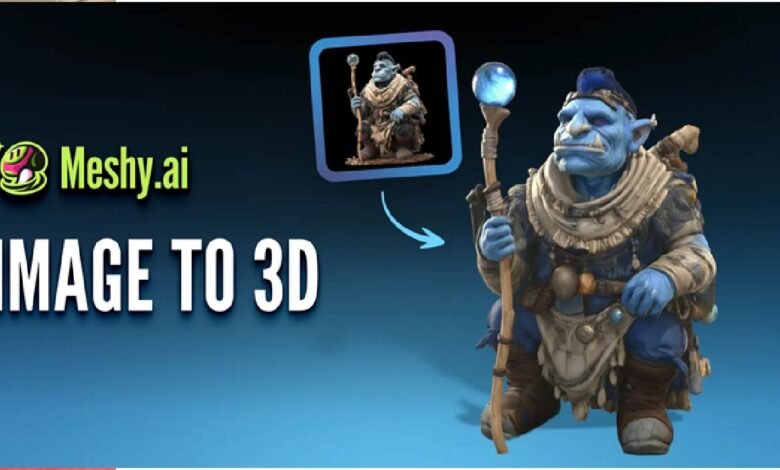
A product sketch, concept illustration, or clean photograph already contains information about shape, colour, proportion, and surface style. An image to 3D workflow can interpret that reference and produce a textured object that can be viewed from different angles.
The result is best understood as a visual prototype.
It may not have exact dimensions. Hidden areas may be estimated. The geometry may require correction, and the materials may not match the intended manufacturing finish.
Even with these limitations, the model gives the team something more useful than a flat image alone.
They can rotate it, compare its silhouette from several viewpoints, place it next to other objects, and decide whether the basic idea deserves further development.
This can be especially useful for concepts such as:
- Consumer electronics
- Furniture and home accessories
- Packaging
- Toys and decorative products
- Wearable accessories
- Small appliances
- Brand mascots
- Retail display objects
The simpler and clearer the reference image, the easier it is to produce a useful starting point.
Faster Comparison Between Design Directions
Early design rarely involves only one idea.
A team may be deciding between a rounded form and a more angular one. It may want to test a minimal version against a more decorative alternative. Different stakeholders may prefer different proportions, colours, or visual styles.
Without a 3D model, these discussions can remain subjective.
One person may imagine the sketch as compact, while another interprets it as tall and narrow. A client may approve a drawing without fully understanding how the object will occupy space.
Three-dimensional drafts make these differences easier to discuss.
Instead of asking everyone to imagine the final object, the team can compare several visible options:
- Which silhouette feels more distinctive?
- Which version looks more stable?
- Does one design appear unnecessarily complex?
- Which option communicates the brand more clearly?
- How does the object look from a customer’s viewpoint?
- Which concept should move into detailed CAD modeling?
AI can shorten the time required to prepare these comparisons.
The goal is not to make the final decision automatically. The goal is to give decision-makers more useful information.
Finding Problems Before CAD and Engineering Work Begin
Detailed CAD models are essential when a product must be manufactured.
They contain accurate dimensions, construction details, component relationships, tolerances, and other information required by engineers and manufacturers.
However, CAD work is not always the best place to explore basic visual uncertainty.
If the team is still deciding whether a product should be tall or wide, whether a body should be curved or flat, or whether a particular feature belongs in the design at all, building a detailed engineering model may be premature.
A faster visual prototype can help the team answer the broad questions first.
For example, an early AI-generated model may reveal that:
- The base looks too narrow for the upper section
- A control panel is placed too close to an edge
- The handle interrupts the main silhouette
- A decorative pattern becomes distracting when repeated
- The object looks heavier than intended
- The product lacks a recognisable visual feature
- The overall form does not match the intended audience
These observations do not require engineering precision.
They require the ability to see the idea as an object rather than a drawing.
Once the visual direction is clearer, CAD specialists can begin working from a more stable concept.
Improving Communication Across Different Teams
Product development often involves people with different professional backgrounds.
A designer may think in terms of shape, colour, and user experience. An engineer may focus on structure, materials, and manufacturing. A marketing team may care about whether the product looks distinctive in photographs. A founder may be considering cost, timing, and customer expectations.
Flat sketches do not always communicate equally well to everyone.
A designer may understand what a loose drawing represents, while another stakeholder may interpret it differently. This can lead to approval problems and repeated explanations.
An early 3D model creates a shared reference.
The team can look at the same object, rotate it, identify specific areas, and discuss changes more clearly. Comments become more concrete:
- The top section should be shorter
- The rear surface needs less detail
- The opening looks too small
- The side profile should feel softer
- The product needs a clearer visual centre
- The colour split should move higher
This type of feedback is easier to act on than general statements such as “it does not feel right.”
A visual prototype does not solve every communication problem, but it gives the discussion a clearer focus.
Exploring Materials and Surface Appearance Earlier
A product’s form is only part of its identity.
Materials, textures, colours, and finishes can change how the same shape is perceived. A glossy surface may feel technological, while a matte finish may feel softer and more premium. Wood, metal, ceramic, fabric, and plastic each create different expectations.
Traditionally, teams may wait until a detailed model exists before exploring these choices in three dimensions.
AI-assisted workflows can make early material testing more accessible.
A team can use a rough model to compare:
- Matte and glossy finishes
- Warm and cool colour palettes
- Metallic and non-metallic surfaces
- Minimal and highly textured versions
- Natural materials and synthetic alternatives
- Brand colour variations
- Different visual treatments for the same product family
These tests are not a replacement for real material samples.
A digital model cannot fully reproduce weight, touch, reflection, durability, or manufacturing behaviour. However, it can help the team determine which directions deserve further testing.
This is particularly useful when preparing presentations or seeking early approval from clients and investors.
Using AI as Part of a Larger Design Workflow
AI-generated models are most useful when they can continue into other tools.
The initial asset may need to be edited in professional 3D software, included in a presentation, tested in an interactive environment, or used as a reference for detailed modeling.
A typical early workflow might look like this:
- Create a sketch or collect a visual reference.
- Generate an initial 3D version.
- Inspect the object from multiple angles.
- Identify major visual problems.
- Compare several variations.
- Select the strongest direction.
- Refine the model in professional software.
- Rebuild it in CAD if manufacturing is required.
- Prepare a physical prototype or engineering review.
The AI-generated asset sits near the beginning of this process.
It allows the team to learn more about the concept before investing heavily in the later stages.
The model may eventually be replaced, but that does not make it unimportant. Its purpose is to reduce uncertainty.
Moving Beyond Single-Step Generation
Early AI tools often focused on one action: generating an object from a prompt or image.
The next stage is connecting more parts of the creative process.
A system such as Meshy 3D Agent is designed to automate a broader sequence, helping users move from an initial concept toward a textured 3D asset through an AI-driven workflow.
For small teams, this kind of automation can reduce the number of separate technical decisions required to produce a useful draft.
Instead of treating modeling, texturing, and asset preparation as completely separate tasks, the workflow can help connect them.
This does not remove the need for review.
The user still needs to judge whether the model matches the intended design, whether the textures are suitable, and whether further refinement is necessary. Automation is most helpful when it reduces repetitive steps while leaving important creative decisions with the designer.
Supporting Client and Investor Presentations
Early product presentations often rely on sketches, mood boards, and written descriptions.
These materials may communicate the creative direction, but they can leave important details open to interpretation. Clients and investors may struggle to imagine how the product will look as a physical object.
A rough 3D prototype can make the presentation easier to understand.
It can be used to show:
- Different viewing angles
- Product scale
- Alternative finishes
- Colour variations
- How the object fits into a room or retail environment
- A basic product family
- Several possible design directions
The model does not need to be engineering-ready to support this discussion.
Its role is to make the idea more visible.
This can help stakeholders give more useful feedback and reduce the risk of approving a concept they have misunderstood.
It can also help a team communicate progress before a physical prototype is available.
Testing Ideas with Potential Users
A visual prototype can also support early user research.
Before spending money on tooling or production, a team may want to understand how potential customers respond to the product’s shape, style, or overall appearance.
An early 3D model can be included in:
- Online surveys
- Concept comparison tests
- User interviews
- Landing page experiments
- Product preference studies
- Virtual showrooms
- Simple augmented reality previews
The feedback gathered at this stage should be interpreted carefully.
Users are reacting to a visual concept, not a finished product. They cannot judge build quality, weight, comfort, durability, or real-world performance from a digital model alone.
Still, early reactions can reveal useful patterns.
One design may appear easier to use. Another may feel more premium. A certain shape may be more memorable. A colour treatment may create the wrong impression.
These insights can help teams decide what to investigate further.
What AI Prototypes Cannot Replace
The speed of AI generation can make an early model look more complete than it really is.
A textured 3D object may appear convincing on screen, but visual realism should not be confused with technical accuracy.
AI-generated prototypes should not automatically be used as:
- Manufacturing files
- Engineering models
- Final CAD designs
- Structural simulations
- Accurate dimension references
- Material performance tests
- Safety evaluations
- Regulatory submissions
A product that looks balanced in a render may be physically unstable. A decorative surface may be impossible to manufacture at the intended cost. A handle may look comfortable but fail an ergonomic test. Internal components may not fit inside the proposed form.
These issues require professional design, engineering, and manufacturing expertise.
AI is most valuable before those stages, when the team needs to explore and communicate ideas quickly.
The Difference Between a Visual Prototype and a Production Model
A visual prototype answers questions about appearance.
A production model answers questions about construction.
The two may look similar on screen, but they serve different purposes.
A visual prototype can help evaluate:
- Shape
- Proportion
- Style
- Colour
- Surface appearance
- Brand fit
- Presentation quality
A production model must also address:
- Exact dimensions
- Wall thickness
- Component fit
- Manufacturing method
- Material constraints
- Assembly
- Tolerances
- Strength
- Safety
- Cost
Confusing these two types of model can create serious problems.
Teams should clearly label AI-generated assets as conceptual, especially when sharing them with clients, investors, suppliers, or manufacturing partners.
The model can guide the discussion, but it should not be treated as a technical specification.
Why Human Design Judgment Still Matters
AI can produce options quickly, but speed does not guarantee quality.
A generated model may be attractive yet unsuitable for the target user. It may repeat familiar design patterns without creating a distinctive product. It may include unnecessary details or fail to reflect the intended brand personality.
Designers still need to decide:
- What problem the product solves
- Who will use it
- Which features matter most
- What should be visually emphasised
- How the object fits into a wider product range
- Whether the design feels original
- Which compromises are acceptable
- When the concept is ready to move forward
These are not purely technical questions.
They require an understanding of users, markets, behaviour, culture, and business goals.
AI can create a visible draft, but it cannot decide what the product should mean.
More Experiments with Less Waste
One important advantage of digital concept exploration is that it can reduce unnecessary physical prototyping.
Physical prototypes remain essential. They allow teams to test scale, ergonomics, materials, assembly, and real-world use.
However, not every early idea needs to be printed, machined, or handmade.
If a design can be rejected after viewing it in three dimensions, the team can avoid spending time and materials on a concept that was unlikely to succeed.
AI-assisted 3D creation makes it easier to filter ideas before they enter physical production.
A team might compare ten rough visual concepts, select three for detailed modeling, and build only one or two physical prototypes.
This does not eliminate waste, but it can make the design process more selective.
Making Early Design More Inclusive
AI tools may also allow more people to participate in early product development.
A founder without modeling experience can create a rough visual idea. A marketing team can test how a proposed product might appear in a campaign. A client can compare several directions without waiting for a complete 3D production cycle.
This wider participation can be useful, but it also needs structure.
More people generating models does not automatically lead to better design. Teams still need clear evaluation criteria, professional review, and a shared understanding of what the prototypes represent.
The benefit is not that specialist knowledge becomes unnecessary.
The benefit is that more stakeholders can express and discuss ideas in a visible form.
A Faster Route to Better Questions
The most valuable role of an early prototype is not always to provide an answer.
Often, it helps the team ask better questions.
Once a model exists, people begin noticing details that were not obvious in the sketch:
- How will the user hold it?
- Where will the controls go?
- Does it take up too much space?
- Is the shape easy to clean?
- Does the object look stable?
- Will the packaging reflect the same design language?
- Is the product recognisable from a distance?
- Can the concept be manufactured at the intended price?
AI-generated 3D models make these questions appear earlier.
That can improve the decisions that follow.
From Faster Modeling to Faster Learning
The main benefit of AI in early product design is not simply that it produces models quickly.
It helps teams learn more quickly.
A sketch becomes a viewable object. A discussion becomes a visible comparison. A vague concern becomes a specific design problem. An expensive production decision can be delayed until the team has more confidence.
The generated model may never become the final product.
It may be revised, rebuilt, or completely replaced. But if it helps the team reject a weak direction, identify a problem, or communicate a stronger idea, it has already served an important purpose.
AI is not removing the need for product designers, 3D artists, engineers, or manufacturers.
It is giving them a faster way to decide which ideas are worth developing.