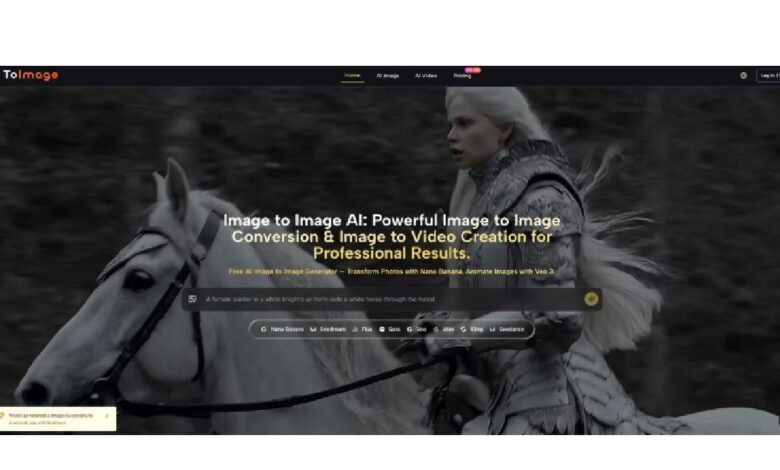
A single AI image model cannot be equally good at preserving product text, generating dreamlike atmospheres, and converting a sketch to video. Each task demands different priorities: structure versus texture, fidelity versus creativity, speed versus detail. The industry trend of releasing one “best” model every month ignores this reality. The platform examined here addresses the problem not by building a single do‑everything engine, but by aggregating multiple specialized models inside a unified interface. The user does not need to learn nine different prompt syntaxes or manage nine separate accounts. Instead, the platform presents each model as a choice within the same generation panel. This approach acknowledges a practical truth: the right model for a packshot is rarely the right model for a fantasy landscape. Image to Image makes model switching a standard part of the creative loop, and that change in habit leads to more predictable results across different task categories.
Why Model Specialization Matters More Than Benchmark Scores
Benchmark leaderboards measure how well a model performs on a fixed set of test prompts under ideal conditions. Real creative work involves messy source images, ambiguous instructions, and competing visual priorities. A model with a high general score may still fail at preserving fine typography on a product label. Another model with a lower overall score may excel at maintaining facial expressions across multiple generations. The platform’s model panel reflects this reality by offering distinct pathways, each with observable tendencies. The user does not need to trust marketing claims. They can upload their actual source image, run the same prompt through two different models in under thirty seconds, and compare the outputs side by side. This direct comparison is more informative than any synthetic benchmark.
Observing Model Tendencies Without Relying on Specs
In practical use, different models on the platform show repeatable behavior patterns. One model pathway produces outputs that stay extremely close to the source image’s geometry, making it suitable for technical edits like background replacement or color grading. Another pathway introduces artistic reinterpretation, softening edges and adding texture, which works well for turning product photos into lifestyle illustrations. A third pathway generates outputs faster than the others, trading some detail for iteration speed, which helps during early concept exploration. A fourth pathway extends static images into short video clips, turning a single frame into a few seconds of motion. These tendencies are not absolute guarantees, but they are consistent enough that an experienced user can predict which model to select for a given task without trial and error.
A Three‑Step Workflow Centered on Model Awareness
The platform’s step count is low, but the decision weight shifts from prompt engineering to model selection. That shift is intentional.
Step One: Upload the Source Image
The Image Defines the Visual Vocabulary
The user selects a file from their device. The platform displays the uploaded image prominently next to the generation controls. This placement reminds the user that the source image is not a one‑time input; it stays available for the entire session. Changing the source image requires a new upload, which keeps each session focused on one visual anchor at a time.
Step Two: Describe the Desired Transformation
The Prompt Expresses Intent Without Over‑Specifying Technique
The user writes a short instruction that focuses on the desired result rather than the technical path. Examples include “add fog and mist to the landscape,” “change the car color from red to blue,” or “turn this photo into a watercolor painting.” The prompt does not need to mention which model should execute the instruction. That decision happens in the next step, which keeps the prompt clean and reusable across different engines.
Step Three: Choose a Model and Generate
Model Selection Becomes a Creative Decision, Not a Technical One
The user clicks on a model selector and sees the available options. No technical specifications or jargon appear. The choice is presented as a set of visual tendencies. After selecting a model, the user clicks the generate button. The platform returns an output that attempts to apply the prompt instruction while respecting the source image’s composition according to that model’s characteristic behavior. If the output does not match expectations, the user can keep the same source and prompt but switch to a different model with a single click, then generate again. This ability to compare model outputs without re‑uploading or re‑typing is the core efficiency gain.
Task‑to‑Model Matching: A Practical Reference
The table below summarizes which model tendencies align with which creative tasks, based on observable behavior patterns across repeated use. Individual results may vary, but the patterns offer a useful starting point.
| Creative Task | Model Tendency to Prioritize | Why This Match Works |
| Product background replacement | Structure preservation, edge fidelity | Keeps product geometry and packaging text intact while changing only the environment. |
| Sketch to finished illustration | Texture and style application | Transforms rough line art into polished renderings without losing original pose and proportions. |
| Early concept variation generation | Speed and output diversity | Generates many directions quickly, allowing the user to spot promising ideas before refining. |
| Static photo to short video | Temporal consistency and motion plausibility | Extends a single frame into a brief animated sequence that feels like a natural camera movement. |
| Typography‑sensitive layout work | Text and spatial precision | Maintains readable letter shapes and alignment, suitable for mockups and editorial graphics. |
| Artistic photo reinterpretation | Atmospheric and painterly rendering | Softens realistic details to create a specific mood or art style without losing subject identity. |
Real‑World Limitations of a Multi‑Model Workflow
A platform that offers multiple models also introduces complexity. A new user may not know which model to choose for their first project, leading to initial trial and error. The platform does not provide automatic model recommendation based on source image analysis, so the user must learn the tendencies through experience. Not every generation preserves the source image equally; model behavior varies, and some outputs may drift further from the anchor than expected. The platform does not claim that any model will work perfectly for every source image, and users working with highly complex or low‑resolution images may need multiple generations to achieve acceptable results. Video generation from static images produces short clips, but the platform does not specify exact maximum durations or frame rates, and output quality depends heavily on the motion complexity of the source image. Users who prefer a single, predictable engine for every task may find the multi‑model approach overwhelming rather than liberating.
Who Benefits From a Model‑Aware Creative Loop
Creative teams that produce a wide variety of visual assets—packshots, social media graphics, storyboards, short video ads—benefit most from having multiple model pathways in one place. A single designer can handle a background replacement task, then switch models to generate a stylized illustration from a sketch, then switch again to extend a key visual into a short motion clip, all without leaving the interface or learning a new tool. Freelance illustrators who need to present multiple style options to a client can generate the same sketch through different model pathways and deliver a selection board in minutes. Marketing operators who manage seasonal campaigns can reuse existing product photography and apply different seasonal environments by swapping models while keeping the product geometry locked. For users who only ever generate one type of image—for example, only fantasy characters from blank prompts—a single specialized model may be sufficient. But for anyone whose work spans multiple visual categories, the ability to match tasks to models within a single Image to Image AI session reduces context switching and makes the generation process feel less like gambling and more like selecting the right lens for a camera.