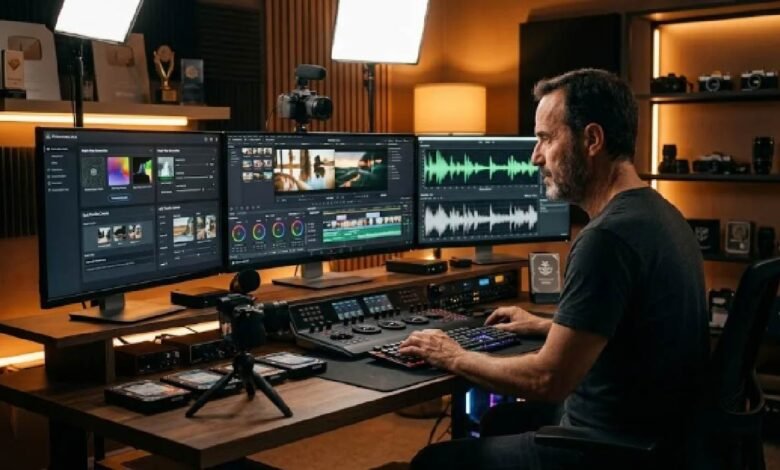
A few years ago, producing a polished video meant booking studio time, hiring editors, and spending days in post-production. Today, creators are publishing content from a browser tab. The gap between a raw idea and a finished clip has shrunk to minutes, and it keeps shrinking.
AI video tools have moved past the novelty phase. In 2026, they are production workhorses for social media teams, independent creators, marketers, and small studios. Understanding what these tools actually do, and where they genuinely deliver, makes the difference between using them effectively and wasting hours on the wrong platform.
From still images to scrollable video
The most immediate impact of AI video generation has been on teams that have strong image assets but limited motion production capacity. A product photographer with a catalog of clean shots can feed those images into an AI system and receive short, animated clips within seconds.
This workflow has become standard in e-commerce. Instead of filming a product from every angle, brands upload a few stills and let the AI infer motion: panning, zooming, adding subtle environmental movement. The results are not always perfect, but they are often good enough for social content, email campaigns, and ad creatives at a fraction of the traditional cost.
For individual creators, the same logic applies. A travel blogger with a library of landscape photos can generate looping video backgrounds. A portrait photographer can animate a headshot for a LinkedIn post. Animating static content adds context and engagement without requiring any new photography.
Character work and the head swap use case
One of the more practical capabilities in modern AI video platforms is character substitution. This goes beyond simple face filters. Current tools can realistically swap one person’s head onto another body in video, maintaining lighting consistency, expression timing, and natural movement across the clip.
The applications are wider than they first appear. Filmmakers on tight budgets use this to create convincing doubles. Marketers swap in different talent for regional ad variations without reshooting. Educators create explainer videos featuring multiple presenters from a single recording session. Running an AI video head swap online through platforms like iMideo removes the need for expensive compositing software. You upload a source video and a reference image, and the system handles the replacement.
This matters for smaller teams because it decouples production from availability. A brand ambassador who is unavailable for reshoots can still appear in updated content. A training video can be refreshed with new talent without rebuilding the entire production.
Short-form content and the volume problem
The economics of short-form content have created a genuine production challenge. Platforms reward frequency. Creators who post daily outperform those who post weekly, regardless of per-video polish. This puts small teams and solo creators in a difficult position: produce at scale or lose ground.
AI video tools address this directly. A single piece of source material, whether a blog post, a podcast episode, or a product demonstration, can generate five to ten short clips in the time it used to take to produce one. The tools handle cutting, captioning, aspect ratio adjustment, and basic pacing.
The quality ceiling has also risen. Earlier AI-generated clips looked noticeably synthetic. Current outputs, from tools built on newer diffusion models, hold up well at the resolutions most social platforms actually display. For a thumbnail-sized video in a fast-moving feed, the difference between AI-generated and traditionally shot content is often invisible.
Choosing a tool that matches your actual workflow
The AI video market is crowded, and the feature lists blur together quickly. Before committing to a platform, it helps to be specific about what you actually need.
Speed matters more than most buyers initially think. A tool that produces excellent output in four hours does not help a social team with same-day publishing requirements. Check processing times under realistic load, not just marketing demos.
Output resolution and format flexibility affect where you can actually use the content. Some tools produce formats that need additional conversion before they upload cleanly to certain platforms.
Control over motion separates general-purpose tools from serious production platforms. The best image to video AI generator options let you guide camera movement, clip duration, and transition behavior rather than accepting whatever the system defaults to. iMideo offers both image-to-video and text-to-video workflows from a single interface, which reduces the tool-switching overhead that slows down high-volume content production.
Pricing models also vary significantly. Some platforms charge per generation; others use monthly credit systems or unlimited subscriptions at higher tiers. For teams generating dozens of clips per week, per-generation pricing adds up quickly.
What to actually expect
AI video tools are genuinely useful now. Not useful in the “just around the corner” way people described them two years ago, but useful in a day-to-day workflow sense. The teams getting the most out of these platforms start with a clear content brief, use AI to execute and iterate quickly, and apply human judgment at the review stage.
The hard part is no longer generating a video. It is generating a video that actually fits your brand, your platform, and your audience. That part still requires a person.