You stream for three hours. Maybe four. You get some great moments: a clutch play, a hilarious reaction, a chat going absolutely wild. And then the stream ends, and you sit there knowing those moments are buried somewhere in a four-hour VOD that nobody is going to watch in full.
That is the real problem streamers face in 2026. It is not that you do not have content. You have more than enough. The problem is getting it out of the stream and into a format people will actually watch on TikTok, YouTube Shorts, or Instagram Reels.
That is where AI clipping tools come in, and why they have gone from a nice-to-have to something most serious streamers rely on every week.
The problem with manual clipping
Manually clipping a highlight reel takes time. A lot of it. You need to scrub through the VOD, identify the good moments, cut them, format them for vertical video, add captions, and export. For one stream, that process easily eats two to three hours. Do that every stream and you have spent an entire workday just on post-production.
Most streamers simply do not do it. They either clip a single moment if the chat goes nuts, or they skip it entirely and accept that their best content disappears after the VOD expires. That is a lot of potential reach left on the table.
How AI makes this manageable
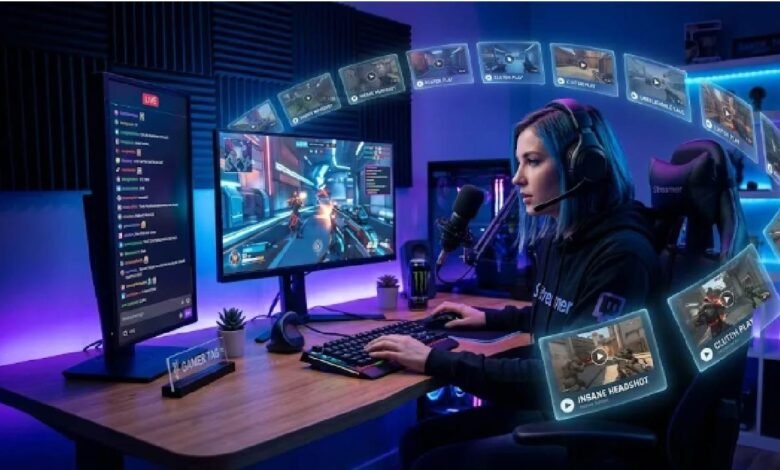
An AI Twitch Clip Generator handles the detection and cutting automatically. Instead of scrubbing through footage yourself, the AI analyzes the stream and identifies moments worth clipping: spikes in chat activity, big gameplay moments, emotional reactions, key audio cues. It then cuts and packages those moments into short clips ready for social media.
What used to take two hours now takes minutes. Some tools process an entire stream while you are still live.
The practical impact is real. Streamers using AI clipping tools report saving fifteen to twenty hours a week on content creation. That time goes back into streaming itself, or actually engaging with your community instead of grinding through editing software.
What to actually look for
Not all AI clip tools work the same way. A few things worth checking before you commit to one.
Detection accuracy matters more than speed. A tool that clips every dull moment because chat had some activity is not useful. You want something that understands context, not just volume.
Vertical formatting should be automatic. Your clips are going to TikTok and Shorts. If the tool outputs horizontal video and you have to reformat it manually, you have saved yourself maybe thirty minutes instead of two hours.
Captions matter too. Subtitles on short-form clips increase watch time and make your content accessible without sound. If you still have to add them separately, factor that into your actual time savings.
And check how it handles your specific game. Tools trained on FPS games work differently from those built around strategy games or variety streams. Test with your actual content.
Clips are how you grow outside Twitch
Twitch alone is not a growth strategy in 2026. The platform has millions of streams competing at the same time, and discovery is hard.
Short-form clips on TikTok, YouTube Shorts, and Instagram Reels are where most streamers actually pick up new viewers. Someone sees a thirty-second clip of a great play or a funny moment, checks the profile, and ends up on Twitch. That funnel works. But it only works if you are consistently putting clips out.
Consistency is what kills most streamers who try to do it manually. When generating clips requires almost no effort on your end, you can keep up with the volume that short-form platforms reward.
Getting started without overcomplicating it
Pick one tool, run your next stream through it, and see what it produces. You will know quickly whether the clips feel right or whether the AI is missing what actually makes your content worth watching.
Most tools offer a free tier or a trial period. Use it. The only way to know if something fits is to test it with your actual streams.
If the clips land well on TikTok or Shorts, even with modest numbers, that is your signal to build a workflow around it. If they do not, adjust: different clip length, different games, different moments. The AI handles the labor. You still need to think about what your audience responds to.
The takeaway
The time you spend manually clipping is time you are not streaming, not engaging with your community, and not building the kind of output that actually grows a channel. AI handles the repetitive part well enough that there is no strong reason to keep doing it yourself.
Start with one stream. See what the tool finds. Go from there.