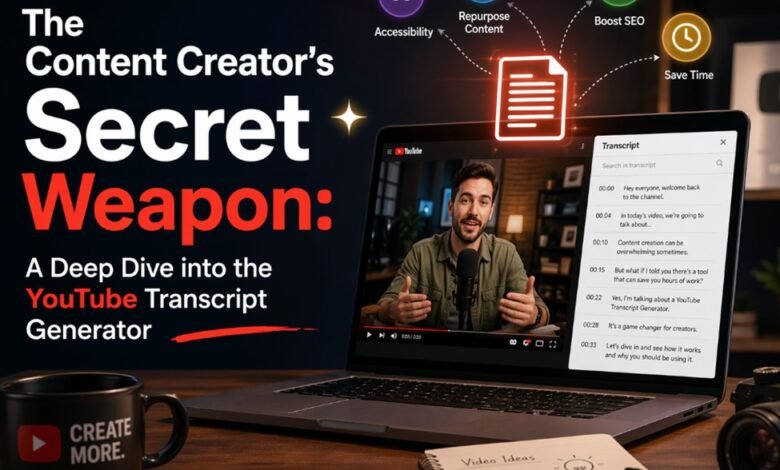
The Content Creator’s Secret Weapon: A Deep Dive into the YouTube Transcript Generator

In the relentless stream of digital content, we often find ourselves drowning in video but starving for text. I’ve been there—staring at a 45-minute technical tutorial, desperate to find that one specific command or quote, only to realize I have to scrub through the entire timeline to find it. It’s a productivity black hole.
This is exactly why tools like the YouTube to Text converter have moved from “nice-to-have” to “essential.” It’s not just a utility; it’s a bridge between the ephemeral nature of video and the permanence of text. After testing various iterations of these tools—from browser extensions to AI-powered web platforms—I’ve come to realize that this technology is fundamentally changing how we consume, repurpose, and understand video content.
What Exactly Is It? (And Why Now?)
At its core, a YouTube transcript generator is a tool—often powered by AI speech recognition or by extracting existing metadata—that converts the spoken audio of a YouTube video into a written document.
Core Features: The Tech Under the Hood
When I look at the top-tier generators available in 2026, I’m not just looking for text on a screen. I’m looking for intelligence. Here are the technical highlights that separate the good tools from the great ones:
AI-Driven Speech-to-Text & Metadata Extraction:
The best tools don’t just guess; they listen. Utilizing advanced algorithms (similar to OpenAI’s Whisper), these generators can transcribe audio with startling accuracy. Even more impressive is the ability to tap into YouTube’s own API to pull existing captions. This dual approach ensures that whether a video has manual captions or just raw audio, you get your text. I’ve seen tools that support over 50 languages, automatically detecting whether the speaker is in Tokyo or Toronto.
Smart Timestamping & Segmentation:
This is a feature I can’t live without. A wall of text is intimidating. A good generator breaks the text down into digestible chunks, synchronized with the video. It’s not just a transcript; it’s a map. You see a timestamp like [04:12], and with a single click, the video jumps to that exact second. It creates a seamless link between what you are reading and what you are watching.
Multi-Format Exporting (SRT, TXT, VTT):
Versatility is key. Sometimes I just want a raw text file (.txt) to copy-paste into a document. Other times, if I’m a video editor, I need a SubRip Subtitle file (.srt) to import into editing software. The best generators offer these options instantly. Some even allow for bulk downloading, letting you grab the transcripts for an entire playlist or channel in one go—a massive time-saver for researchers.
Integrated AI Summarization:
This is the “wow” factor. Modern generators are integrating Large Language Models (LLMs) like ChatGPT directly into the workflow. Once the transcript is generated, the tool can instantly scan the text and produce a bulleted summary, extract key quotes, or even generate a “table of contents” for the video. It turns a passive viewing experience into an active learning session.
The Value Proposition: Solving Real Problems
So, what does this actually do for you? It’s easy to get lost in the specs, but the real value lies in the application.
1.Supercharged SEO & Content Repurposing:
For creators, this is gold. Google can’t “watch” your video, but it can read your text. By generating a transcript and posting it as a blog or description, you make your video discoverable via search engines. Furthermore, you can turn a 10-minute video into a Twitter thread, a LinkedIn post, or a newsletter simply by cleaning up the generated text.
2.Accelerated Learning & Research:
Imagine you are a student or analyst. You have five hours of lectures to get through. Instead of watching at 1x speed, you generate the transcript, scan the text for keywords, and only watch the relevant sections. It’s “speed-reading” for video.
3.Accessibility & Comprehension:
For our non-native English speakers or those with hearing impairments, these tools are lifelines. Reading along with a video reinforces understanding. If the audio is muddy or the accent is thick, having a visual reference ensures you don’t miss the nuance.
The Honest Truth: Pros & Cons
I want to be transparent—no tool is magic. Here is the reality of using these generators today.
| Pros (The Good) | Cons (The Reality) |
| Efficiency: Turns hours of listening into seconds of reading. | Audio Quality Dependency: If the video has background noise or the speaker mumbles, even the best AI will struggle (the “Garbage In, Garbage Out” rule). |
| Cost-Effective: Many browser extensions and web tools are free or have generous free tiers. | Punctuation Quirks: AI sometimes misses the emotional tone, leading to run-on sentences or missing question marks. |
| Versatility: Great for SEO, subtitles, notes, and translations. | Privacy Concerns: Uploading private videos to third-party servers for transcription might not be secure for sensitive corporate data. |
| Searchability: Instantly find specific topics within long videos. | Formatting Glitches: Sometimes speaker identification (who is talking) can get mixed up in interviews. |
Verdict: Who Needs This?
If you are still reading, you might be wondering if this is for you.
You absolutely need a YouTube Transcript Generator if:
- You are a Content Creator: You need to squeeze every drop of value out of your video assets.
- You are a Student/Researcher: You need to cite sources and take notes without re-watching footage.
- You are a Marketer: You need to analyze competitor scripts and keyword strategies.
My Final Advice:
Don’t settle for the first tool you find. If you need quick, dirty text, a simple browser extension works. But if you need accuracy and summaries, look for tools that leverage the latest AI models.
In 2026, video shouldn’t be a black box. With Saveto AI YouTube transcript generator